
Audio work gets complicated when every task is treated like one big edit. A cleaner approach is to move through the job in stages: cut the useful material, remove the obvious problems, fix loudness, then make the shareable version.
That order keeps decisions simple. It also avoids doing careful cleanup on sections you are going to throw away anyway, wich is one of the quiet ways audio projects waste time.
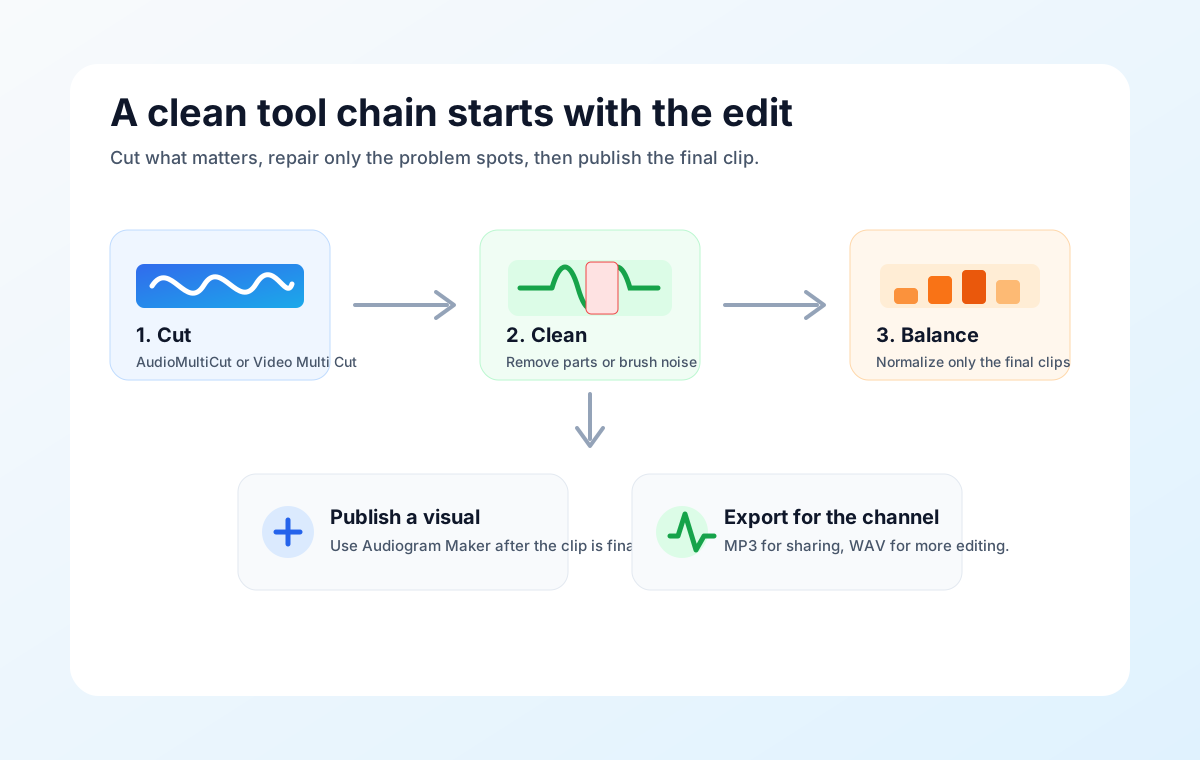
The usual order
Start in the main cutter when the source is a long rehearsal, lecture, meeting, or show. Mark the parts that matter and export the clips you actually plan to keep. If the job is one file with a mistake in the middle, use Remove Parts from Audio instead, because the goal is preserving one continuous result.
After the cut is clear, move to cleanup. Use the spectrogram editor only for specific sounds you can see or isolate, such as a cough, click, short bump, hum stripe, or chair scrape. Use the volume normalizer near the end, because loudness changes make more sense once the timing and content are already settled.
Where publishing tools fit
The audiogram maker belongs after the audio clip is already chosen. It turns the chosen moment into a static or animated visual for social posts, newsletters, or a podcast page. Video Multi Cut has the same role for long video sources when you need separate clips. Remove Parts from Video fits when the source should stay one video with the bad moments skipped.
The main mistake is jumping into the prettiest output tool too early. A clean 45-second clip makes a better audiogram than a messy three-minute excerpt with a nice waveform, because the listener still has to sit through the weak part.
A realistic example
For a band rehearsal, split the recording into songs in AudioMultiCut, delete false starts, and export rough MP3s for the band. If one song has a cable pop, open that clip in the spectrogram editor and brush the pop rather than reworking the whole rehearsal. If the clips are too quiet, run the final exports through the normalizer before sharing.
For a podcast, cut the useful quotes first, remove dead air or stumbles from a chosen clip, normalize it, then make the audiogram. That keeps the publishing step fast and prevents endless tweaking inside the final graphic.
FAQ
Should normalization happen before cutting?
Usually no. Cut first, then normalize the final clips or final edited file. That way the loudness process reacts to the audio you are actually keeping.
Should every clip go through the spectrogram editor?
No. Use it for targeted repairs. If a clip already sounds good, brushing a spectrogram just adds work and risk.
More audio workflows
Cut before loudness
Cut Clips First, Then Normalize: A Cleaner Audio Workflow
A practical export-then-import workflow for cutting useful clips first, then importing the final files into AudioMultiCut's volume normalizer.
Delete problems before raising level
Remove Mistakes First, Then Normalize the Cleaned Audio
Use Remove Parts from Audio to delete dead air, stumbles, or private details, then import the cleaned export into the volume normalizer.
Delete moments while keeping one finished video
Best Use Cases for Remove Parts From Video
When to delete unwanted sections from one local video and keep one joined result: false starts, dead air, private details, interruptions, and rough openings.
Fix the sound before the visual
Normalize Audio Before Making an Audiogram
Prepare podcast quotes, voice notes, and lesson clips by normalizing the audio first, then importing the finished clip into the audiogram maker.
Related pages and tools
Start with the full tools hub
Pick the tool that matches the next edit instead of forcing every recording through the same workflow.