
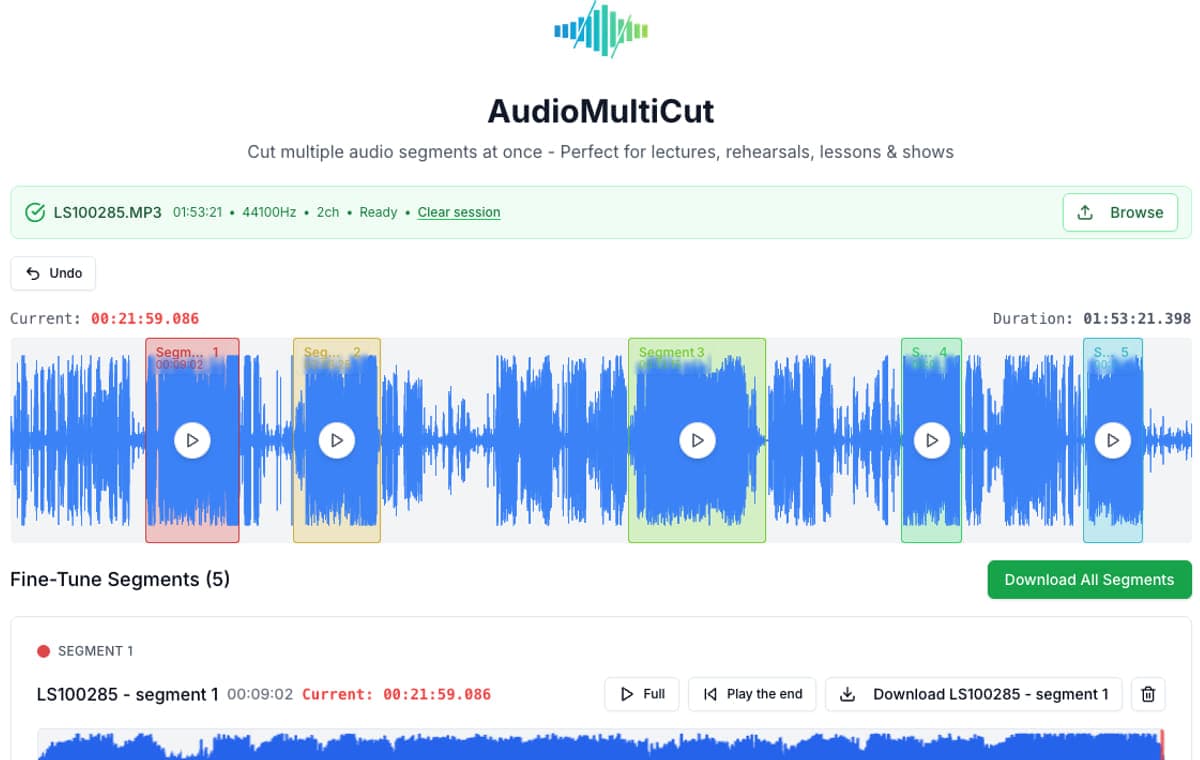
If you only need one quick trim, plenty of tools can technically do it. The real difference is whether the experience stays fast and clear, especially once you need to adjust the exact start or end without fighting the interface.
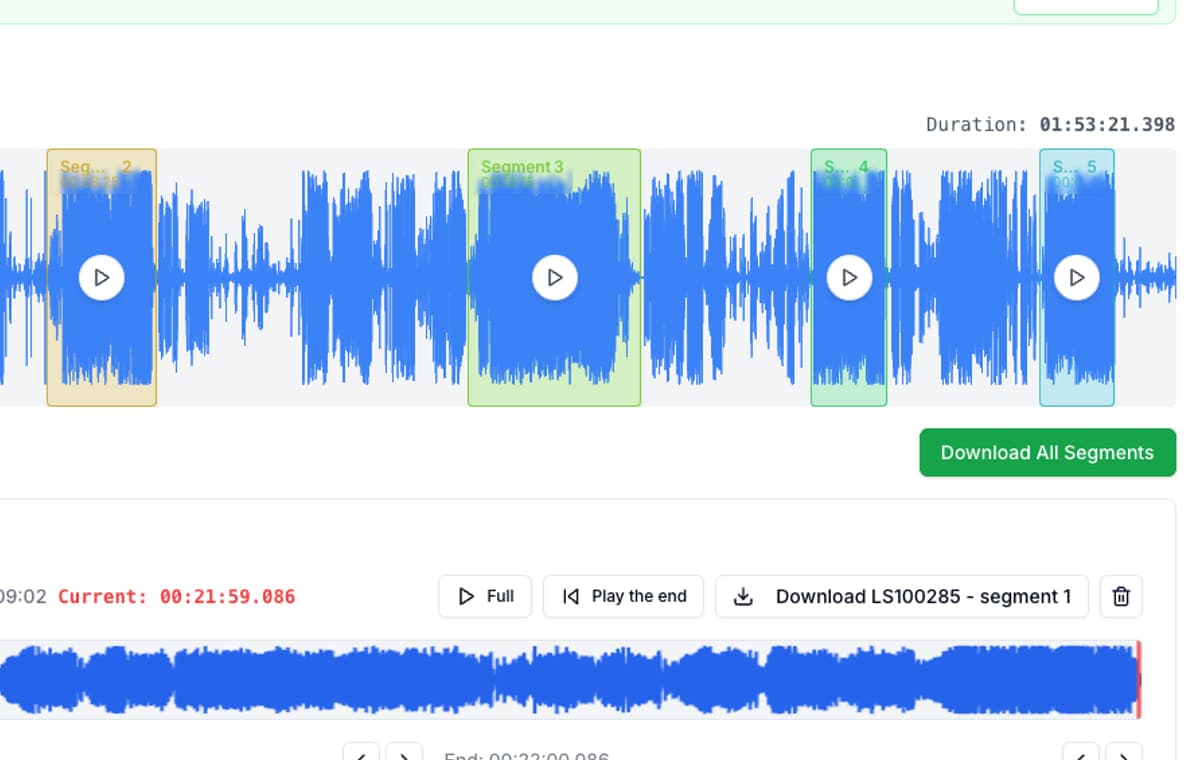
AudioMultiCut is strongest when the job is splitting a rehearsal, lecture, podcast, lesson, or show into multiple pieces from a single upload. That matters on phone especially, where multi-segment cutting is usually the point other tools start to feel awkward. The biggest alternatives each have a place too, but they are usually better at something slightly different. The product focus here is the experience: audio cutting should feel smooth, fast, and not frustrating.
10 common jobs and how each platform handles them
| Use case | AudioMultiCut | Audacity | VEED | Kapwing | Clideo | Random free cutters |
|---|---|---|---|---|---|---|
| Split a 60-minute band rehearsal into 8 songs | Built for this. One upload, many segments. Usually 6-12 min. | Works well with labels and Export Multiple, but slower to set up. Usually 15-30 min. | Can do it, but the project workflow is heavier than needed. Usually 12-25 min. | Can do it, but better suited to broader media editing. Usually 12-25 min. | Possible, but starts to feel repetitive. Usually 18-35 min. | Usually frustrating. Repeated one-cut loop. Often 25-45+ min. |
| Break a lecture into 6 chapter clips | Very strong fit. Easy to chapter and refine by ear. Usually 5-10 min. | Accurate, but slower and desktop-heavy. Usually 12-25 min. | Can work if you already use VEED, but still more overhead. Usually 10-20 min. | Same story as VEED: possible, but heavier than needed. Usually 10-20 min. | Fine for a few clips, less pleasant for many. Usually 15-30 min. | Okay for one chapter, rough for six. Usually 20-35+ min. |
| Pull 5 podcast highlight clips from one interview | Great fit. Fast repeated clip extraction. Usually 6-12 min. | Works, but feels like real editing work. Usually 15-30 min. | Strong if the clips are heading into video or subtitles. Usually 10-18 min. | Good if the clips live inside a wider creator workflow. Usually 10-18 min. | Possible, but one-by-one trimming slows things down. Usually 15-28 min. | Usually not worth it past one or two clips. Usually 20-35+ min. |
| Trim one quick voice memo | Best fit if you want the cleanest one-cut workflow. Usually under 1 min. | Works, but the overhead is higher than the job. Usually 2-5 min. | Fast enough. Usually 1-3 min. | Fast enough. Usually 1-3 min. | Good fit. Usually under 1-2 min. | Good fit. Usually under 1-2 min. |
| Cut a ringtone from a song | Best fit for a fast one-off cut with easy edge cleanup. Usually 1-2 min. | Works well, just more tool than needed. Usually 3-6 min. | Fine if you are already there. Usually 2-4 min. | Fine if you are already there. Usually 2-4 min. | Good one-off job. Usually 1-3 min. | Good one-off job. Usually 1-3 min. |
| Turn one private lesson into 4 practice clips | Excellent fit. Easy to name and refine clips. Usually 4-9 min. | Capable, but slower to organize for this job. Usually 12-25 min. | Possible, but the extra editor context adds friction. Usually 9-18 min. | Possible, but broader than needed. Usually 9-18 min. | Can do it, but repeated trims start to drag. Usually 12-22 min. | Usually annoying after the first clip. Usually 15-30+ min. |
| Clean 10 clip boundaries without replaying whole segments | Best fit because edge preview is built in. Usually 3-6 min. | Accurate, but more manual and slower. Usually 10-20 min. | Possible, but less focused on repeated edge cleanup. Usually 8-15 min. | Possible, but still a broader editor loop. Usually 8-15 min. | Possible, but not optimized for many repeated refinements. Usually 10-18 min. | Usually tedious. Usually 12-25+ min. |
| Do the whole job on a phone after recording | Strong fit. Touch-friendly and focused. Usually 4-10 min for a real session. | Not a phone workflow. | Works in browser, but still feels like a full suite. Usually 8-16 min. | Works in browser, but still heavier than a focused splitter. Usually 8-16 min. | Fine for one clip, weaker for many. Usually 6-14 min. | Fine for one cut, usually frustrating for more. Usually 8-18+ min. |
| Export one speech clip for quick sharing | Best fit if you want fast trimming without setup friction. Usually under 1-2 min. | Works, but more setup than necessary. Usually 3-6 min. | Good if you also need creator features. Usually 2-4 min. | Good if you also need creator features. Usually 2-4 min. | Good fit. Usually 1-3 min. | Good fit. Usually 1-3 min. |
| Do pitch correction, restoration, mastering, or unusual-format cleanup before exporting | Not the main job this tool is built for. | Best fit by far. Usually 10-30+ min depending on the edit. | Possible for lighter creator workflows, not ideal for real restoration. | Possible for lighter creator workflows, not ideal for real restoration. | Not really the point of the tool. | Not really the point of the tool. |
Time estimates are editorial workflow estimates for a user who already has the file ready and knows how to use the specified app without a learning-curve. They are not vendor claims, and they assume a normal desktop or phone workflow rather than advanced production work.
Which tool fits which job?
| Tool | Best for | Main tradeoff |
|---|---|---|
| AudioMultiCut | One long recording that needs many clips fast | Not trying to be a full DAW or video suite |
| Audacity | Deep desktop editing, restoration, effects, and label-based export | More setup and less convenient on phone |
| VEED | Audio inside a broader online video workflow | Free exports carry a watermark and the workflow is more editor-heavy |
| Kapwing | Quick media edits when you also work with video or social formats | Free plan adds a watermark and caps exports at one minute |
| Clideo | Simple one-off trims or quick format changes | Better at single extracts than full multi-segment sessions |
| Random free cutters | A single cut from a single file | Usually one clip at a time, often with ads or repeated upload/export loops |
Use case first, tool second
This is the most useful way to compare audio cutters. Start with the job, not the feature list. Even on a one-cut job, the best tool is often the one that feels easiest to control. Once the job becomes turning one long recording into many clean clips, the field gets much smaller very quickly.
That is also where the experience becomes the product. Audio cutting is possible in many places, but it is often more frustrating than it needs to be. AudioMultiCut is built around reducing that frustration: fewer steps, less repeated setup, faster feedback, and less interface clutter.
When AudioMultiCut is the better pick
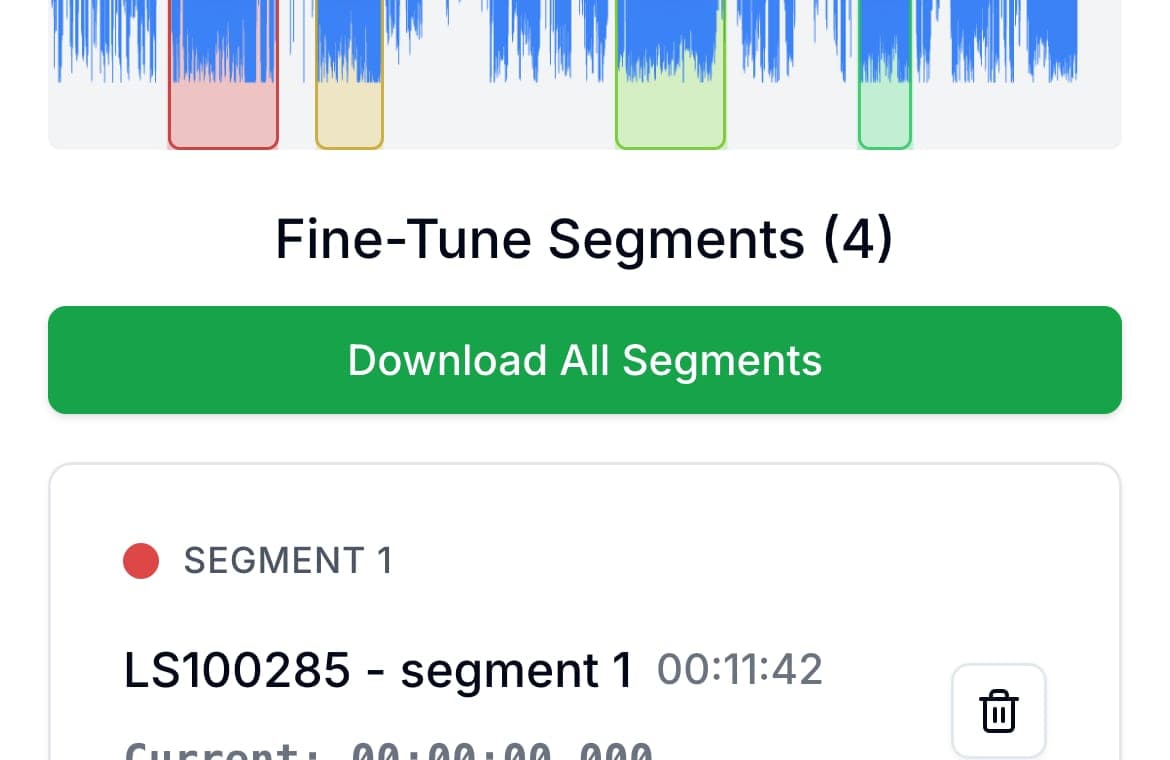
Choose AudioMultiCut when the recording itself is the project. That is the case with band rehearsals, lecture recordings, private lessons, interviews, and long spoken-word sessions. You upload once, mark several segments, fine-tune them inside the segment cards, and export everything without starting over for each clip.
The biggest practical difference is that boundary editing is faster. When you trim a segment start or end, AudioMultiCut automatically previews the first or last second around that edge, so you can hear the change immediately instead of replaying the whole clip. That emphasis on feel matters because most audio cutting tools can get the job done eventually. Far fewer make the job pleasant.
When the bigger alternatives make more sense
Audacity is still the better option when you need deeper desktop editing: effects, noise reduction, restoration, pitch work, mastering, unusual-format cleanup, detailed waveform work, or label-driven batch export in a full editor. VEED and Kapwing make more sense when the audio is part of a broader video or creator workflow. Clideo is perfectly fine when the task is one trim, one file, and one export.
That is really the dividing line: AudioMultiCut is for repeated clipping from one recording, not for full production or one-off video projects.
The fastest way to choose
Pick AudioMultiCut if your first thought is “I need to cut this cleanly and fast, whether it is one clip or many.” Pick Audacity if your first thought is “I need to do real editing work on this audio.” Pick VEED or Kapwing if the audio is just one part of a larger video workflow. Pick Clideo or a random free cutter only if you want a disposable one-off trimmer and do not care much about the experience.
- One clean trim or many clips from one file: AudioMultiCut
- Deep desktop editing: Audacity
- Video-first online editing: VEED or Kapwing
- Disposable one-off trim if UX does not matter: Clideo or a random free cutter
FAQ
Is AudioMultiCut only better for multi-segment jobs?
No. Multi-segment work is where the difference becomes most obvious, but the trimming experience is also strong for a single cut because refining the start and end is so direct.
When should I use Audacity instead?
Use Audacity when the job turns into real editing work: restoration, effects, pitch work, mastering, mixing, or deeper waveform surgery before export.
When do VEED or Kapwing make more sense?
Use them when the recording is only one part of a bigger video or creator workflow. If the job is audio-only and focused on clipping, the lighter workflow is usually better.
What is the main reason people switch to AudioMultiCut?
Usually speed and feel. The workflow has less setup, less clutter, and much less friction when you are repeatedly adjusting clip boundaries.
Sources
Official product pages checked on April 4, 2026. Time estimates are editorial estimates based on typical user flows for each job, not vendor benchmarks.
More recording workflows
Better for fast splitting jobs, not for full studio-style editing
A Faster Audacity Alternative for Splitting Audio Recordings
Audacity is still excellent for full desktop audio editing. If the job is simply splitting one long recording into multiple finished clips, AudioMultiCut is usually the faster option.
Better for audio-only work than a full online creator suite
VEED Audio Cutter Alternative - Split Multiple Clips Without the Video Suite
VEED loads a full video editor for audio-only jobs. AudioMultiCut splits one recording into multiple clips in the browser, with no account, no watermark, no upload limits.
Compare audio cutters by friction, learning curve, and time to useful result
Audio Cutter Comparison Table: Features, Privacy, Ads, and Speed
A practical comparison of AudioMultiCut, Audacity, VEED, Kapwing, Clideo, and random free cutters based on the things that affect real audio splitting work.
Related pages and tools
Upload a recording and compare the workflow yourself
The fastest way to see the difference is to trim a real recording, adjust a few boundaries, and feel how quickly the workflow settles in.