
Audacity remains one of the best free audio editors on the desktop. It is powerful, mature, and capable of far more than simple trimming. That is exactly why it can feel heavier than necessary when all you want is to break a rehearsal, lecture, or interview into several usable files.
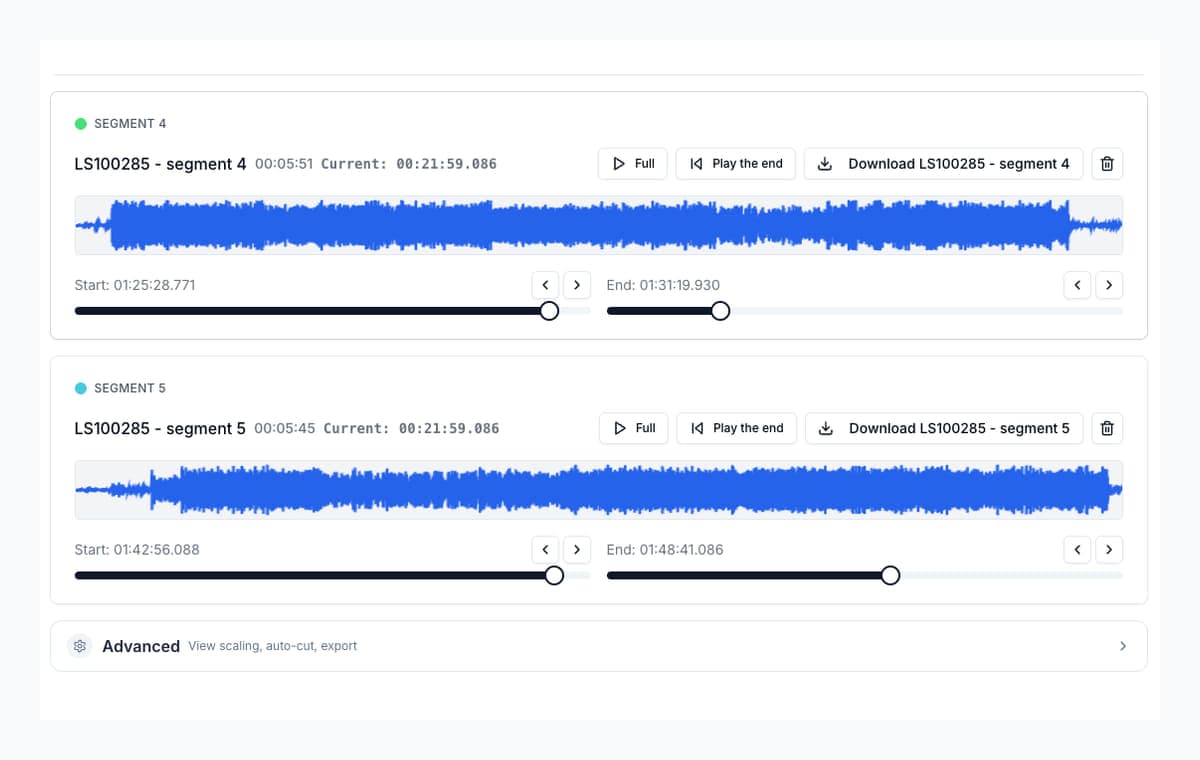
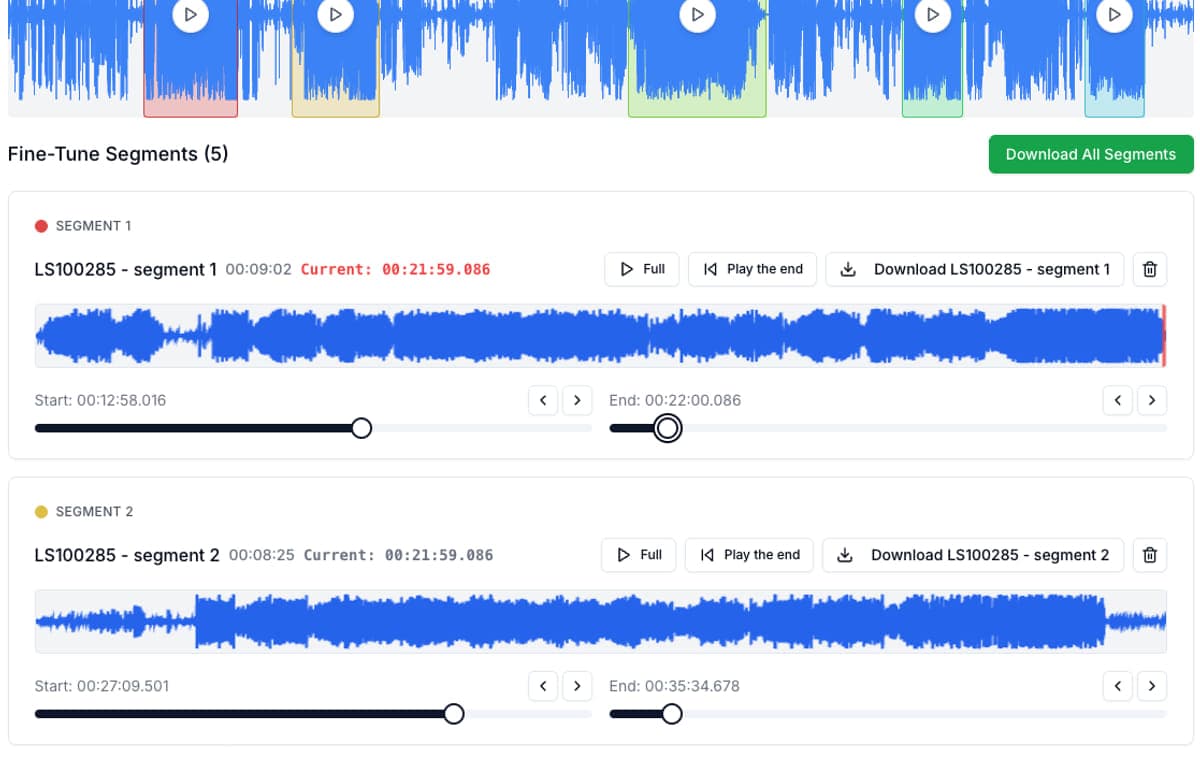
AudioMultiCut is the better fit when the job is straightforward: upload, mark several cuts, preview the edges, and export the finished clips. You lose the deeper editing toolbox, but you gain speed, a much lighter learning curve, and a better overall experience for repeated clipping.
Video transcript
Need an Audacity alternative just for splitting audio? If one long recording needs to become many clean clips, AudioMultiCut is faster. No download. It opens in your browser. Built around exporting a list of segments. And it works on your phone. Move a cut and the edge previews itself, so trimming stays quick. But for noise reduction and repair, or effects and deep editing, Audacity is still the right tool. Try AudioMultiCut free on the web or on iPhone.
AudioMultiCut vs Audacity
| Metric | AudioMultiCut | Audacity |
|---|---|---|
| Best use | Splitting one long recording into many clips | Full desktop editing, restoration, effects, and multistep workflows |
| Setup | Open in browser and start | Download desktop app and work inside a full editor |
| Multi-file export | Built around exporting segment lists | Possible with labels and Export Multiple |
| Mobile use | Works on phone and tablet | Desktop app |
| Trim refinement | Fast because segment edges auto-preview | Possible, but more manual and editor-like |
| Privacy model | Browser-based local processing workflow | Local desktop workflow |
Audacity officially documents splitting with labels and exporting multiple files, which is why it remains a strong desktop option even when the workflow is slower to set up.
Choose Audacity when you really need an editor
Audacity is still the better choice if you need noise reduction, destructive waveform editing, effects, repair work, or a deeper desktop toolchain. It can absolutely split recordings into multiple files, and its label workflow is a proven way to do that.
If your work starts to sound more like audio engineering than audio clipping, Audacity is still one of the best free answers.
Choose AudioMultiCut when you need results fast
AudioMultiCut is better when you need song files from a rehearsal, chapters from a lecture, or several highlights from one podcast take. The app is shaped around that exact workflow, which means fewer menus, fewer decisions, and less time lost setting up exports.
Think of it as the casual-gaming version of audio cutting tools: focused, immediate, satisfying, and built to do one thing very well without the overhead of learning a huge system. Segment cards let you push starts and endings around and immediately hear what changed, which is exactly the kind of work that gets repetitive and frustrating in a general editor.
Bottom line
Audacity is still the stronger desktop editor. AudioMultiCut is the stronger splitter. If the job is “one long recording becomes many clean clips,” AudioMultiCut is usually the faster route. If the job is “I need to really work on this audio,” stay with Audacity.
FAQ
Is AudioMultiCut trying to replace Audacity?
No. Audacity still wins for deep editing, restoration, effects, and studio-style work. AudioMultiCut is the faster choice when you mainly need to split and export clips.
Why does AudioMultiCut feel faster than Audacity for splitting?
Because the workflow is shorter. You are not entering a full editor, setting up labels, or moving through a desktop-style export flow when all you need is clean clips.
When should I stay with Audacity?
Stay with Audacity when you need noise reduction, pitch work, mastering, mixing, effects, or detailed waveform repair before exporting.
Sources
Official product pages checked on April 4, 2026.
More recording workflows
Compare audio cutters by real jobs, speed, and frustration level
Best Audio Cutter Alternatives for Splitting Long Recordings
The best audio cutter depends on the job. This guide compares AudioMultiCut with the biggest alternatives through 10 common real-world use cases, including how each one handles the work and how long it typically takes.
Compare audio cutters by friction, learning curve, and time to useful result
Audio Cutter Comparison Table: Features, Privacy, Ads, and Speed
A practical comparison of AudioMultiCut, Audacity, VEED, Kapwing, Clideo, and random free cutters based on the things that affect real audio splitting work.
The best tool by device is really the one that keeps the workflow easy
Which Online Audio Cutter Works Best on Mobile and Desktop?
A practical comparison of online audio cutters across phone and desktop browsers: what works on a small screen, what needs a mouse, and where AudioMultiCut fits.
Related pages and tools
Split the recording without the editor overhead
If the job is clipping, not engineering, upload the recording and see how much faster it is to get to finished files.