
Updated October 2026
How to cut an MP3 in 5 steps
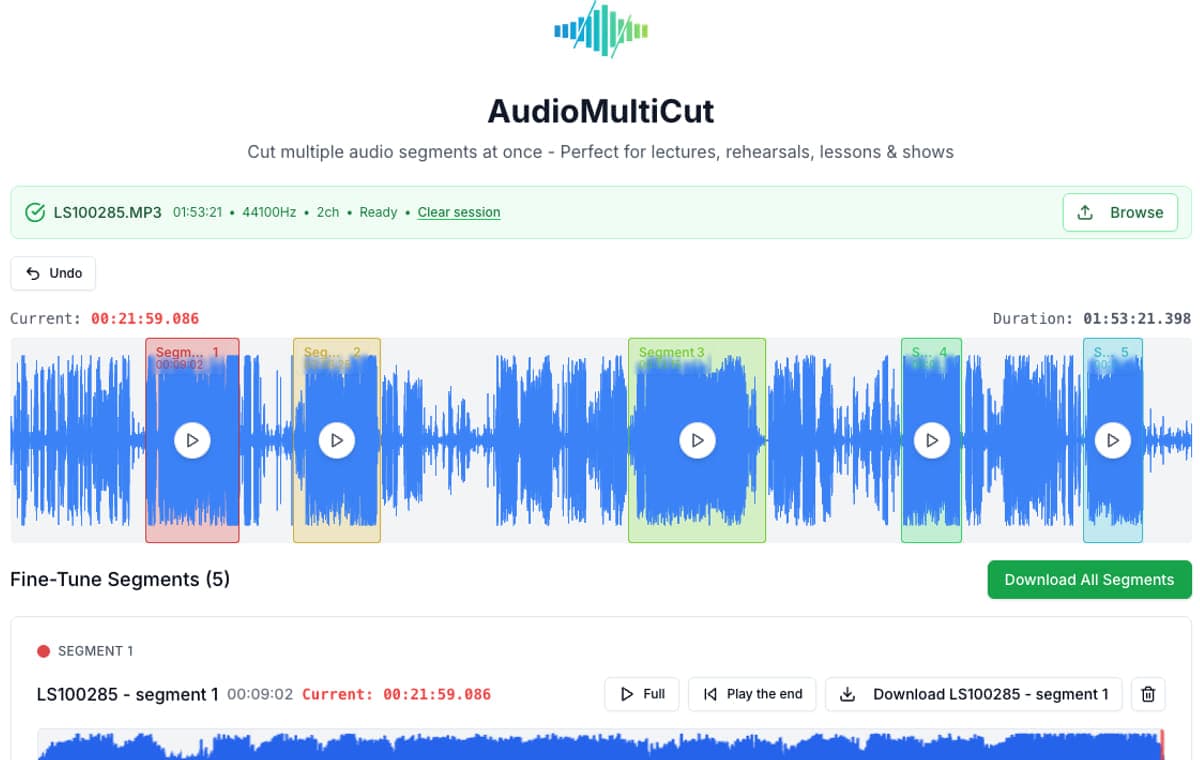
- Open AudioMultiCut and drop in the MP3 (M4A and WAV work the same way).
- Drag across the waveform to select the part you want to keep. Drag again to add more parts.
- Play each selection and nudge the start and end until the cut lands in the silence.
- Pick the output format: MP3 for sharing, WAV for lossless editing.
- Export. Every selection downloads as its own file.
Which kind of cut do you need?
| You want to | Do this |
|---|---|
| Keep one part, like a ringtone or a quote | Select it and export. See also cut a ringtone. |
| Trim silence or chatter off the start and end | Select from the first word to the last and export. The audio trimmer page walks through it. |
| Keep several parts as separate files | Select every part in the same session and export them together. |
| Delete parts and keep one joined file | Use Remove Parts. |
| Split a long MP3 into tracks or chapters | Run Auto-Cut to find the silences, then adjust. See the MP3 splitter. |
Other ways to cut an MP3
Desktop editor. Audacity is free and handles detailed editing, effects, and multitrack work. It takes longer to learn, and for a quick cut it is more tool than you need.
Command line. If you have ffmpeg installed, this copies the section from 1:00 to 2:30 into a new file without re-encoding:
ffmpeg -i input.mp3 -ss 00:01:00 -to 00:02:30 -c copy clip.mp3Phone. The web editor works in Android and iPhone browsers. On iPhone, the AudioMultiCut app also takes recordings from Voice Memos and Files.
Frequently Asked Questions
How do I cut an MP3 file online for free?
Open the MP3 in AudioMultiCut, select the part you want on the waveform, preview it, and export. The web tool is free, has no ads or watermark, needs no account, and the file is processed in your browser instead of being uploaded.
Can I cut several parts out of one MP3 at once?
Yes. Select as many ranges as you need on the same waveform and export them together. Each range becomes a separate MP3, so you do not have to re-open the file for every cut.
How do I remove a part from the middle of an MP3?
Use the Remove Parts tool: mark the sections you want gone and export one joined file without them. To keep the pieces as separate files instead, select them in the main editor.
Does cutting an MP3 reduce the quality?
MP3 export re-encodes the audio, which is fine for voice and for sharing music in chats. Choose WAV if the clips are going into another editor. Your original file is never changed.
Does it work on a phone?
Yes. The editor runs in mobile browsers on Android and iPhone. On iPhone there is also the AudioMultiCut app, which takes files from Voice Memos and Files and shares the cuts straight to Messages, WhatsApp, or AirDrop.