
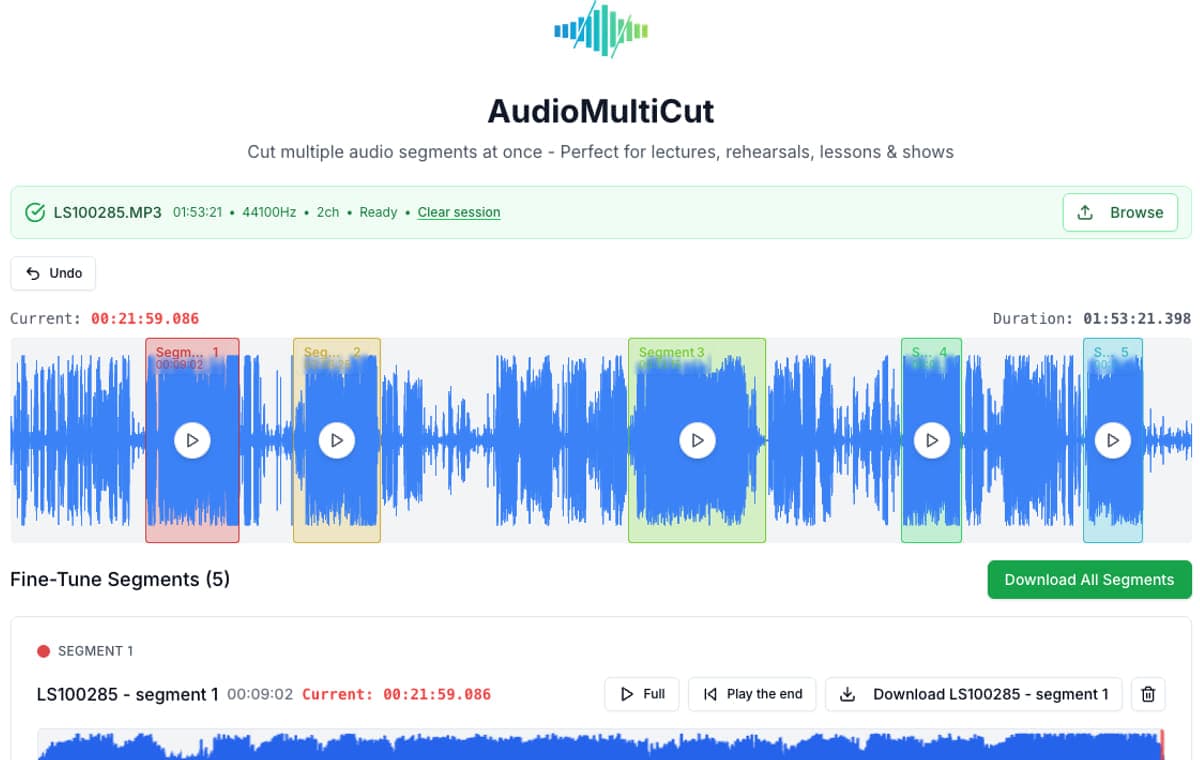
The whole file at once
See the full waveform, mark every cut, and check each boundary before exporting anything.
Audio Cutter
Cut audio in your browser with as many cuts as the recording needs. Mark every segment on the waveform, preview, and export - free and private.
Upload audio
Drop MP3, M4A, WAV, or another audio file and move straight into the full editor.
Quick answer
Most online audio cutters give you two handles and one selection. AudioMultiCut shows the whole recording on a waveform and lets you make every cut in one session: drag out each segment, or let Auto-Cut propose them from the silences. It is free, has no ads, and processes everything in your browser, so nothing is uploaded.
See the full waveform, mark every cut, and check each boundary before exporting anything.
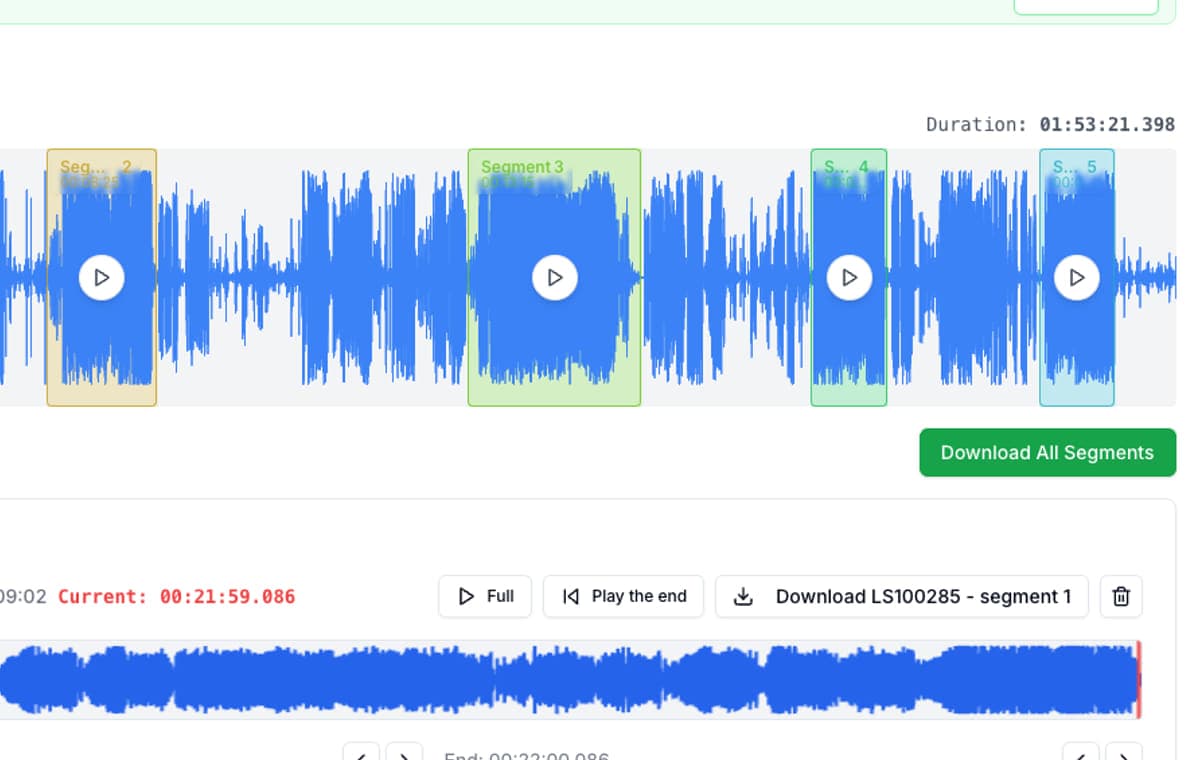
Zoom in and nudge boundaries with instant playback. No render queue between attempts.
Meetings, lessons, and personal notes are cut locally in your browser and never uploaded.
If you only ever need to shorten a ringtone, almost any audio cutter works. The pain starts when one recording needs several cuts: a band rehearsal with five songs, a lecture with chapters, an interview with three usable answers. Single-selection cutters turn that into repeated rounds of cutting, exporting, and re-uploading.
AudioMultiCut was built for the multi-cut case from the start. Every cut happens in one session on one waveform, with Auto-Cut suggesting segment boundaries on long recordings. And because it runs in the browser with no upload, it is as fast and as private on the tenth cut as on the first. It stays free: no ads, no watermark, no account, no trial limits.
Multiple cuts on one waveform
AudioMultiCut is built specifically for multiple cuts in one pass: mark every segment on the waveform and export them together, free and without uploading the file.
Yes. AudioMultiCut processes audio locally in your browser. Your recording never leaves your device.
Yes. The editor works in mobile browsers, and the AudioMultiCut iPhone app cuts Voice Memos and other recordings directly on the phone.
Open one recording, mark every segment, and export.
Open the audio cutter23,812shares