
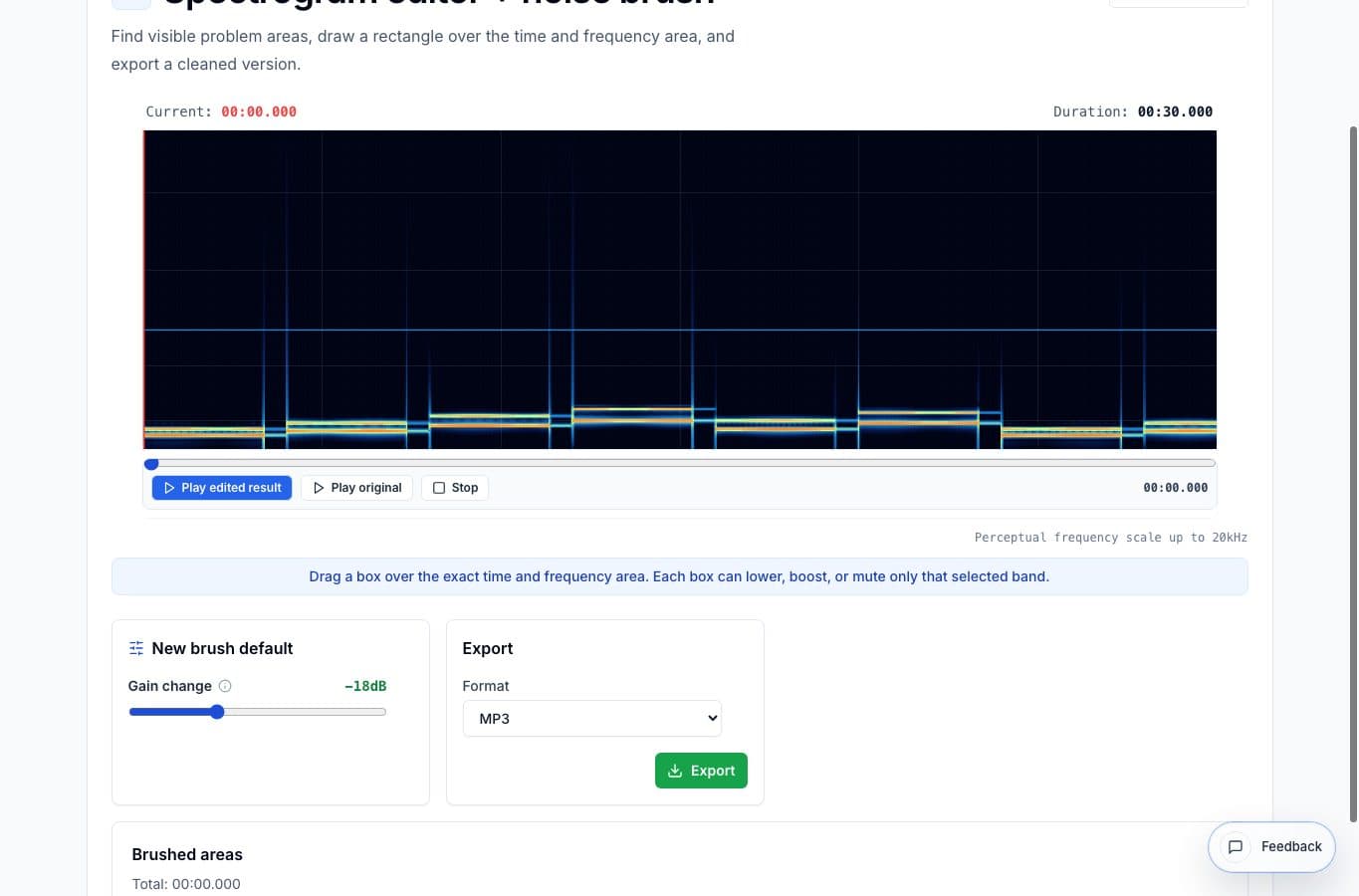
Normalization raises the useful audio, but it can also raise problems. A click, hum line, chair scrape, or mic bump that seems small in the source may become much more obvious after the file is louder.
When the problem is visible on a spectrogram, fix it first. Export the cleaned file, then import that export into the Audio Volume Normalizer only if the overall level still needs work.
Why noise repair comes first
A normalizer does not know which sounds are wanted. It raises or reshapes the whole file according to level. That means a low hum, thump, or click can become easier to hear after processing.
The spectrogram editor is more targeted. It lets you reduce a selected time and frequency area before broad loudness processing happens. That gives the normalizer a cleaner source.
How to keep the repair small
Open the file in the spectrogram editor and find the visible problem. A click usually looks narrow and vertical. Hum often looks like a horizontal line. Select the smallest useful area, preview the edited result, and back off if the repair sounds dull or obvious.
Export the cleaned file when the noise is reduced enough. Then open the Audio Volume Normalizer, import the export, and use gentle settings. Heavy compression after spectral repair can reveal artifacts, so compare before and after.
When this workflow is overkill
If the clip has no obvious noise problem, go straight to normalization. If the whole recording is noisy from start to finish, a small spectrogram brush is probably not enough. Use a restoration suite or a full editor for broad repair.
This workflow is best for one or a few visible problems in an otherwise usable recording.
FAQ
Should I normalize before removing hum?
No. If the hum is visible and targeted, reduce it first. Normalizing before repair can make the hum louder and harder to ignore.
Does the spectrogram editor replace noise reduction?
No. It is for targeted visible problems. Broad hiss, room tone, or constant background noise usually needs a different noise-reduction workflow.
More noise cleanup guides
Fix visible noises without touching the whole file
Best Use Cases for a Spectrogram Editor and Noise Brush
When a spectrogram editor helps: clicks, hum, bumps, squeaks, coughs, and short noises that are easier to see by frequency than edit on a waveform.
Target a noise or reduce the whole bed
Spectrogram Editor vs Noise Reduction: Which Fixes the Problem?
Compare targeted spectrogram brushing with broad noise reduction for clicks, hum, room tone, bumps, and noisy recordings.
Make quiet or uneven clips easier to hear
Best Use Cases for an Online Audio Volume Normalizer
When to normalize audio, raise quiet recordings, add light compression, and export a more consistent file without turning the process into mastering.
Related pages and tools
Repair the visible problem first
Lower the click, bump, or hum in the spectrogram editor, then normalize the cleaned export if the level still needs help.