
Audio Splitter
Audio Splitter Online
Split any audio file into multiple parts instantly. Automatic detection, manual selection, and batch export. Free and private.
Upload audio
Bring in your audio and open the full splitter
Add your file here, then land in the full editor with waveform controls, auto-detect, and exports already ready.
Quick answer
The private browser audio splitter for multiple clips.
AudioMultiCut is the best fit when you want one local audio file to become several downloadable clips without uploading the recording to a server. It is built for multi-segment splitting, not just one trim at a time.
- Best for
- Split audio into multiple files, private audio cutting, and long recordings with many useful sections.
- Workflow
- Upload once, select several segments, fine-tune boundaries, then export one clip or every clip.
- Privacy
- The main editor decodes, previews, cuts, and exports locally in your browser.
The Online Audio Splitter Built for Multi-Segment Work
Most audio splitters only let you trim one piece at a time. Upload, cut, download, repeat. AudioMultiCut is different — it lets you select and export multiple segments from a single file in one session.
Whether you have a 90-minute rehearsal with 12 songs or a 2-hour lecture with 8 topics, AudioMultiCut handles it in one pass.
Why AudioMultiCut is the best audio splitter:
- Select multiple segments from one file — not just one cut at a time
- Automatic detection finds natural breaks in long recordings
- Batch export downloads all segments at once
- 100% browser-based — your files never leave your device
- Free web editor with no ads, watermark, or signup
Real editor workflow
See the multi-clip workflow before you upload
One recording stays open while you mark several clips, listen around each boundary, and review the segment list before exporting. These are the controls in the current browser editor, not an illustrated mockup.
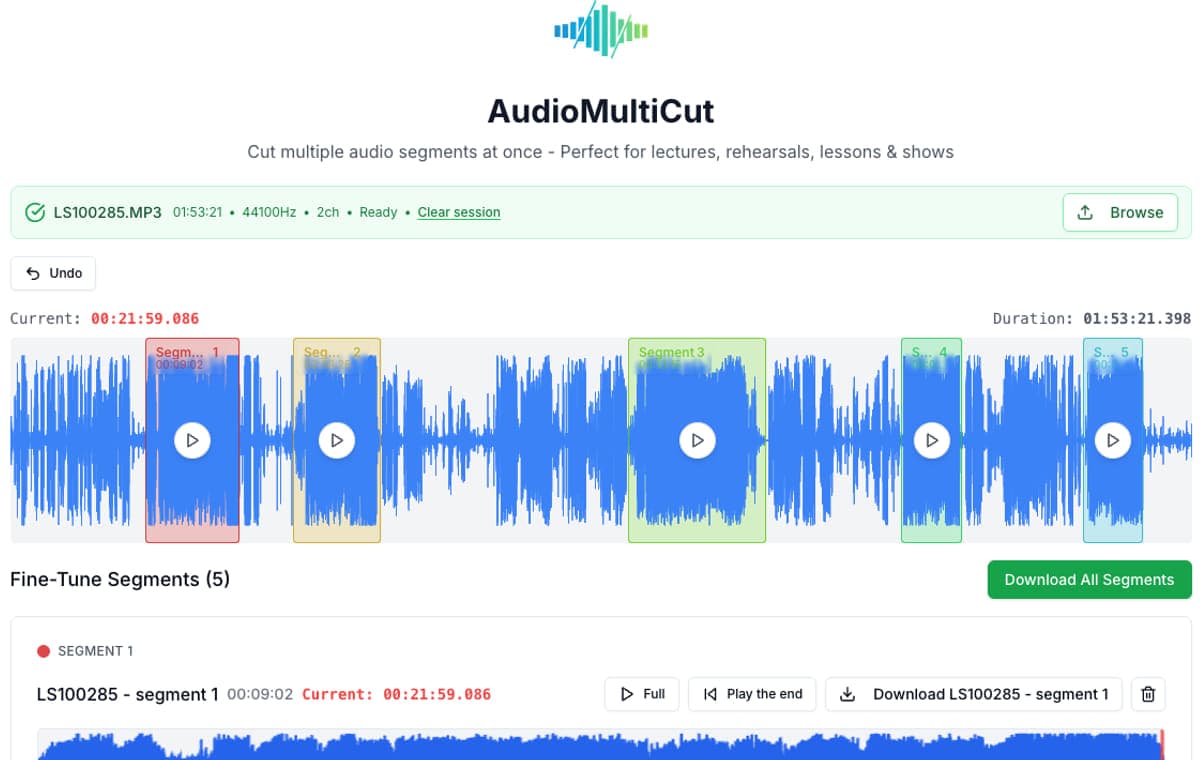
Mark several clips
Keep the full waveform visible and add every useful section in one session.
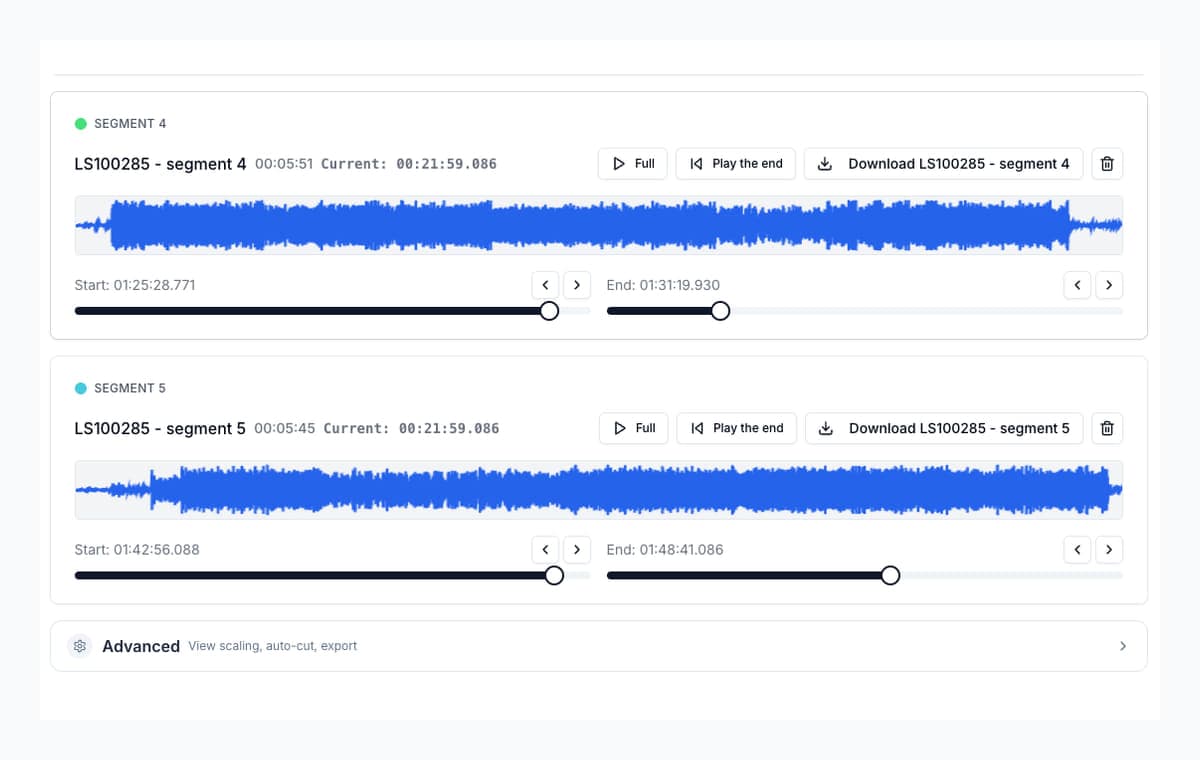
Check each edge
Preview the opening and ending, then make fine timing adjustments before export.
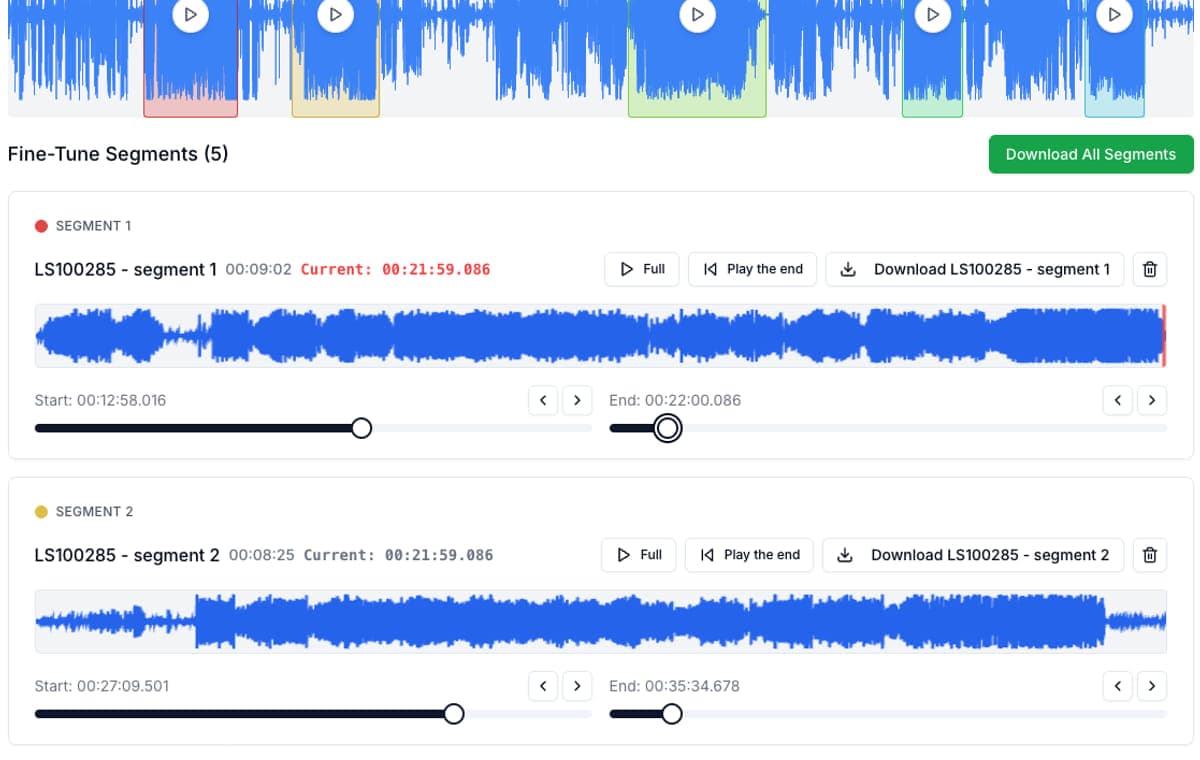
Review every segment
Name, play, adjust, and export individual clips or finish the full batch.
How to Split Audio Files Online
Drop Your Audio File
Drag your audio file into AudioMultiCut or click to browse. Works with MP3, M4A, WAV, OGG, FLAC, and more.
Choose Your Segments
Click and drag on the waveform to manually select segments. Or use auto-detection for long recordings — it finds silence gaps between songs, topics, or sections.
Multiple segments selected:
Download All Segments
Export each segment individually or use batch download to get all of them at once. Choose MP3 or WAV format.
Who Uses an Audio Splitter?
Musicians
Split rehearsal recordings into individual songs. Share specific takes with band members.
Educators
Break lectures into chapters. Students can review specific topics without scrubbing.
Podcasters
Extract highlights, cut episodes into clips, remove dead air between segments.
Frequently Asked Questions
Can I split a large audio file?
Large files are processed locally, so available browser and device memory is the practical limit. A desktop browser is recommended for very long recordings. The editor rejects files longer than 4 hours 30 minutes and can reject shorter files when the device cannot decode them safely.
How fast is the export?
Export time depends on clip duration, format, browser, and processor. MP3 encoding runs in a Web Worker when supported, which keeps the page responsive while the clip is prepared.
Do I need to install software?
No. AudioMultiCut is a web app that runs entirely in your browser. No installation, no plugins, no extensions. Just open the site and start splitting.
Will splitting reduce audio quality?
WAV export is uncompressed and avoids an additional lossy MP3 encode. MP3 export creates a smaller, newly encoded file. Neither option modifies your original recording.
Can I split audio automatically?
Yes. For recordings over 8 minutes, AudioMultiCut offers automatic detection that finds natural silence gaps between songs, topics, or sections. You can fine-tune the results manually.
Try the Audio Splitter Now
Free, fast, and private. Split any audio file into multiple parts in seconds.
Related Tools
Share AudioMultiCut
23,812shares