
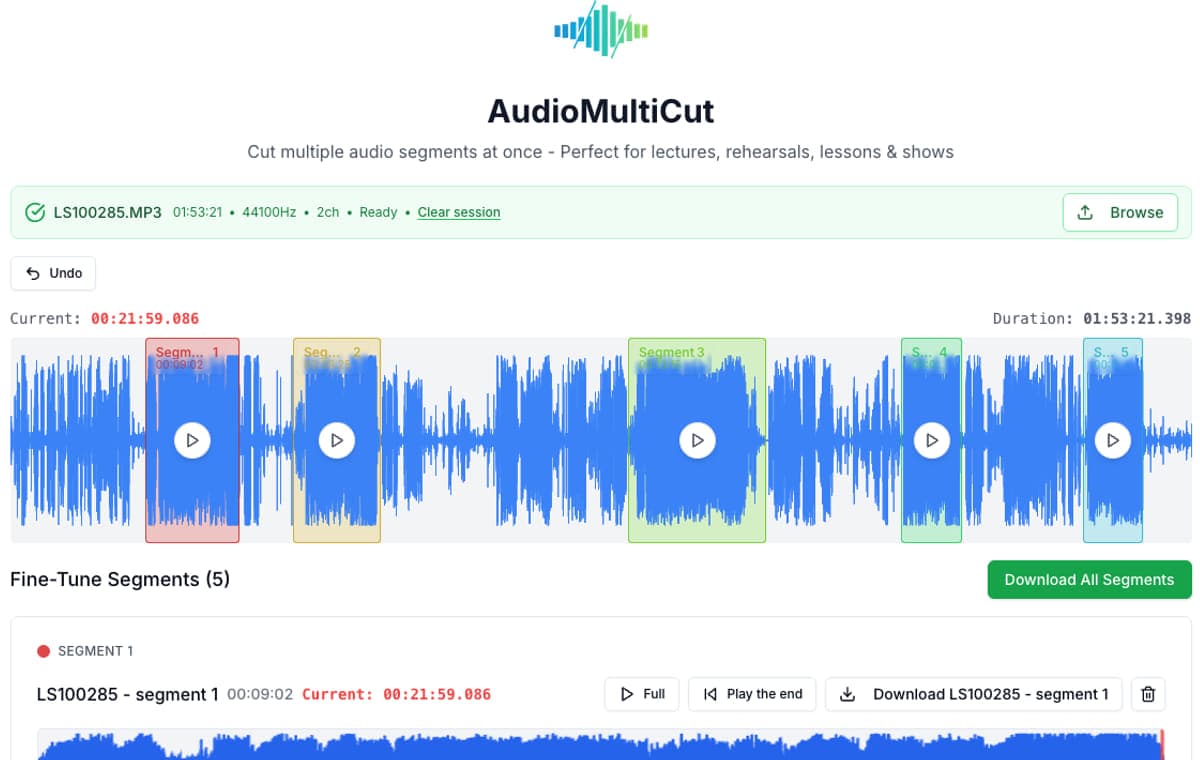
In this one-run test, AudioMultiCut reached a verified editable state with a 30-minute MP3 in 1.398 seconds, 123apps Audio Cutter in 48.398 seconds, and AudioTrimmer in 216.145 seconds. The important explanation is not simply that one page was faster: AudioMultiCut decoded the source locally, while the other two interfaces uploaded the file before the edit was ready.
Treat these numbers as a reproducible observation, not a universal speed ranking. The run used one Mac, one Chromium session, one network connection, and one public-domain spoken recording on September 19, 2026. Upload speeds, server load, browser versions, and device memory can change the result. The raw data, fixture hashes, stopping rule, and an inconclusive export check are published so the comparison can be challenged or repeated.
Observed 30-minute MP3 result
| Tool | Time to verified editable state | Observed processing path | Segments kept in one session |
|---|---|---|---|
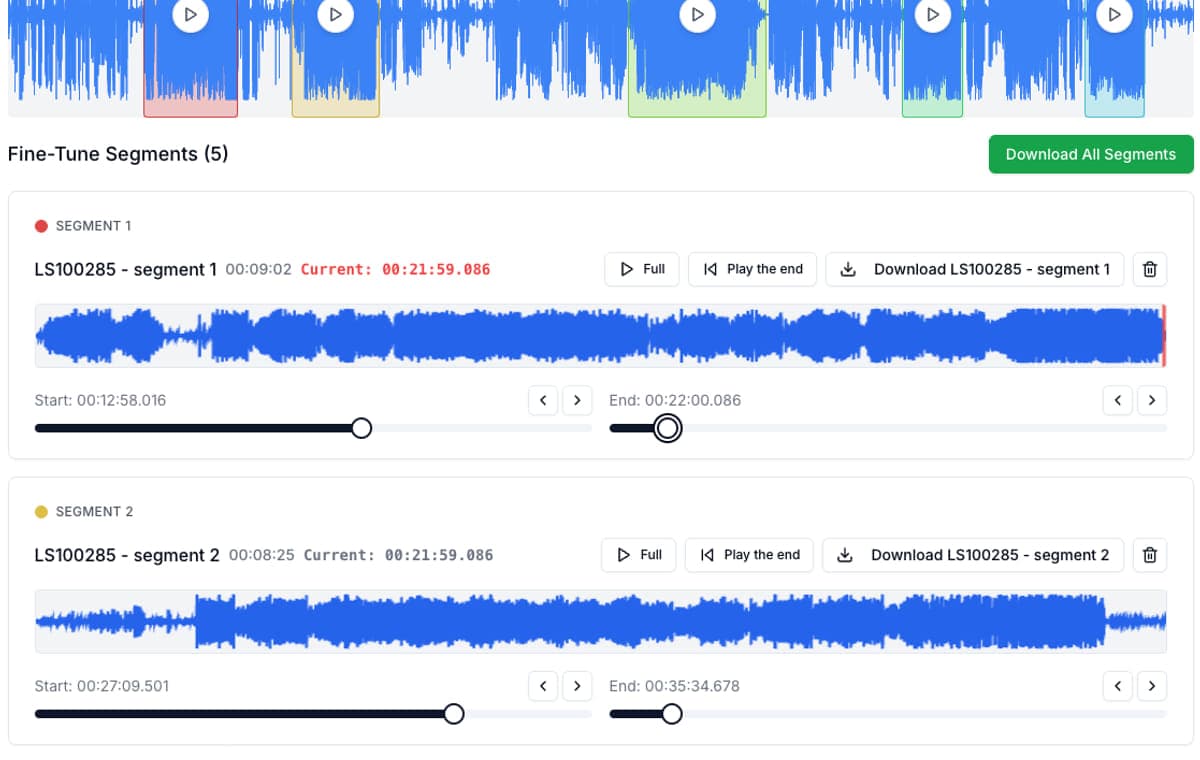
| AudioMultiCut | 1.398 seconds | Local browser decode; no source-audio upload in the normal editor | Yes. Three equal segments were created and remained visible together. |
| 123apps Audio Cutter (Mp3Cut) | 48.398 seconds | Upload workflow; its privacy policy describes temporary server storage | One start-to-end interval in the tested cutter interface. |
| AudioTrimmer | 216.145 seconds | Upload workflow; the page says uploaded files are removed within two hours | One keep-or-remove interval in the tested cutter interface. |
One run per tool. Timing started immediately before choosing the local file and stopped when the duration and cutting controls were visibly usable. The verification tool's own latency is included. This is not a statistical performance study.
What was observed and what came from current product pages
| Question | AudioMultiCut | 123apps Audio Cutter | AudioTrimmer |
|---|---|---|---|
| 30-minute MP3 opened | Observed | Observed | Observed |
| MP3, M4A, and WAV support | Current editor and product page | Current product page says more than 300 formats; editor showed MP3, M4A, M4R, FLAC, and WAV outputs | Current page lists MP3, M4A, WAV, and other inputs |
| Several named cuts from one open source | Observed with three segments | Not present in the tested one-interval interface | Not present in the tested one-interval interface |
| Account needed to reach cutter | No | No in the tested flow | No in the tested flow |
Format rows are clearly separated from stopwatch results. Vendor pages can change; the source pages were rechecked on September 19, 2026.
Method: one fixture and one stopping rule
The timed fixture was the first 30 minutes of the public-domain LibriVox recording of Katherine Mansfield's At The Bay, distributed by Project Gutenberg. The derived file is mono MP3 at 44.1 kHz and about 64 kbps, 14,400,814 bytes, with SHA-256 a1573793b1fc53afb0ca8cc90a865966e3de42bc97e656d6be4c15022190e7c6.
The machine was a 2024 MacBook Pro with Apple M4 Max, 14 CPU cores, 36 GB memory, and macOS 26.6.2. Tests ran in a Chromium 153 in-app browser. The timer began immediately before the file chooser interaction. It stopped only after the page visibly showed the 30:00 duration and enabled editing controls. That means cloud-tool results include transfer and server preparation, while AudioMultiCut includes local reading and decoding.
- Test date: September 19, 2026.
- Run count: one measured run per tool.
- No account was used for any timed run.
- No result was normalized for network speed or server location.
- Clideo was reviewed but excluded from timing because its file-picker handoff did not operate in the automation session; no time was invented.
The result is mostly about architecture
A local editor can begin decoding as soon as the browser receives the file handle. An upload editor has to move bytes over the network before its server-side workflow is ready. That difference grows more relevant with long rehearsals, lectures, interviews, and Voice Memos, but it does not make local processing automatically best for every job.
For a single ringtone-sized trim, 123apps or AudioTrimmer can be perfectly adequate and their focused one-interval controls are easy to understand. AudioMultiCut becomes more useful when the same source needs several outputs because the cuts remain together in one session instead of asking the user to repeat the source-selection loop.
Long-file and batch checks
A separate 60-minute, 43,200,828-byte stereo MP3 made from synthetic tones and silence reached AudioMultiCut's editable state in 4.160 seconds. It was not uploaded to the other tools, so that number is a local long-file validation, not a cross-product score.
The AudioMultiCut session successfully created three equal segments from the 30-minute source and kept all three in the editor. An automated attempt to capture the resulting three-clip MP3 ZIP did not expose a download event within 120 seconds, while the editor returned to ready state. Because the automation could not distinguish an unobserved browser download from a failed capture, this article reports no batch-export time or success claim from that check.
How to reproduce or correct the test
Download the public-domain source from Project Gutenberg, derive a 30-minute mono MP3, verify the published hash, and use the same start and stop rule. Run each tool in a clean browser session and record the network, browser, machine, exact date, failures, and whether the interface keeps more than one cut from the same source.
The machine-readable result is published at https://audiomulticut.com/benchmarks/browser-audio-cutter-2026.json. If a product changes or a result cannot be reproduced, send the exact browser, fixture hash, observed state, and test date through the AudioMultiCut contact page. Corrections should change the data and article together; a date should not move merely because the page was reread.
FAQ
Is AudioMultiCut always faster than an upload-based audio cutter?
This test does not establish that. It records one run with one 30-minute file. Local processing avoided a source upload in this setup, but device speed, memory, network quality, server load, and file format can change the experience.
Why test a 30-minute recording instead of a short song?
Long recordings make the processing-path difference visible and match the jobs AudioMultiCut is designed for: rehearsals, lectures, interviews, podcasts, lessons, and Voice Memos that need several clips.
Were MP3, M4A, and WAV all timed?
No. The stopwatch comparison used the same 30-minute MP3 for all three tools. M4A and WAV support is reported separately from the current product interfaces and official pages, not presented as an additional measured run.
Does local processing include AudioMultiCut Cloud AI features?
No. Normal cutting, preview, and export stay in the browser. Optional Cloud AI features are separate, clearly initiated workflows that upload only the audio selected for that requested feature.
Sources
Benchmark run and official product/privacy pages checked on September 19, 2026. Next scheduled review: December 19, 2026, or sooner if a named product changes its workflow. Results use exact fixture and source grain; unavailable or inconclusive checks are labeled rather than inferred.
More audio workflows
Choose by the output you need, not by a generic cutter label
AudioMultiCut vs Mp3Cut and Other Online Cutters
Single-selection cutters and multi-segment editors solve different problems. Where each fits, and what to check before spending editing time in any tool.
The best private browser audio splitter keeps the recording local and the workflow focused
Which Audio Cutters Are Actually Private and Ad-Free?
Which audio cutters are actually private and ad-free? Compare browser-local editing, desktop tools, online suites, ads, accounts, and workflow friction.
The file can stay on your machine
How to Split an Audio File Without Uploading It
Cutting audio in the browser does not require sending the file to a server. How local processing works, why it is faster, and how to check whether a tool actually does it.
Related pages and tools
Run the local workflow yourself
Open the same kind of long recording, mark several sections, and compare the experience on your own browser and network.