
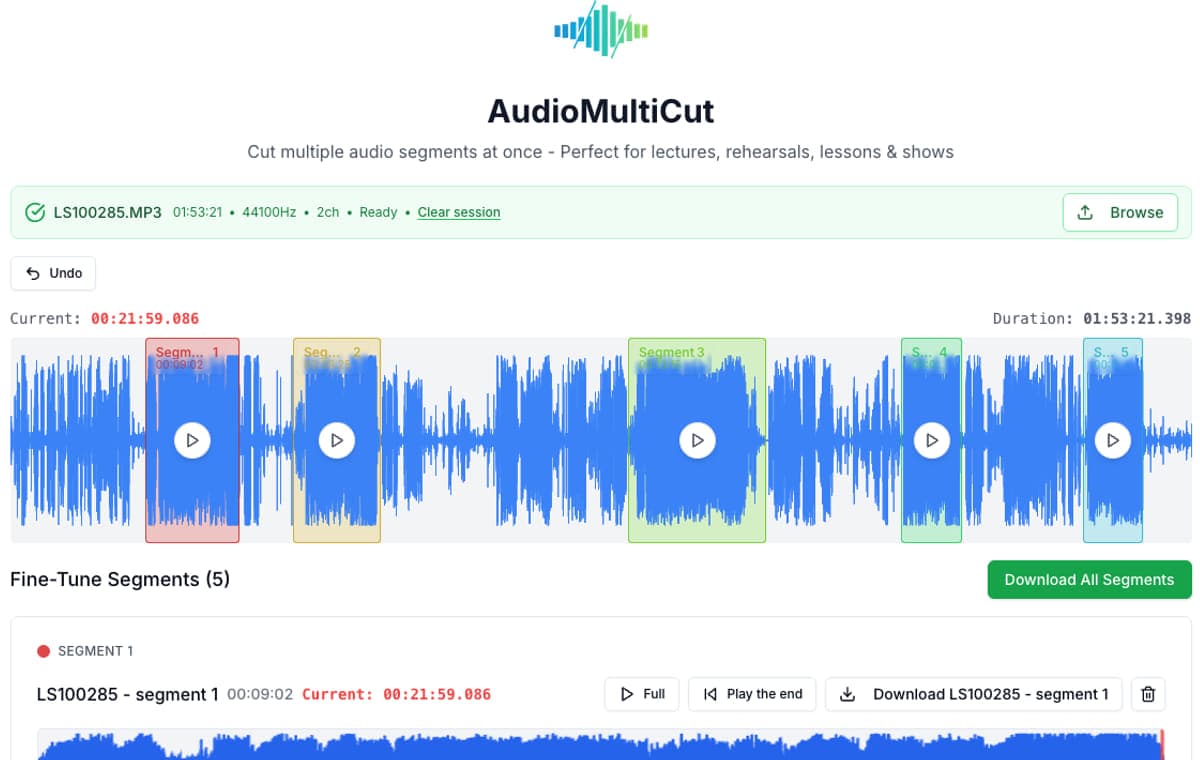
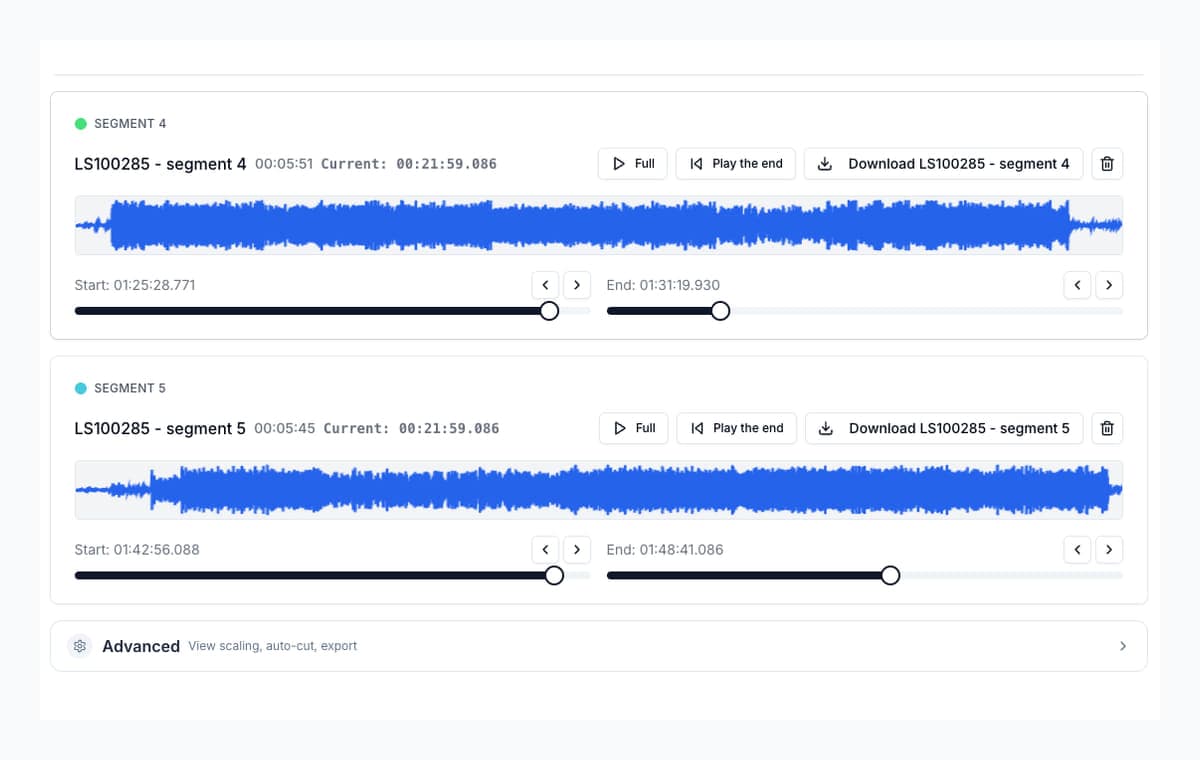
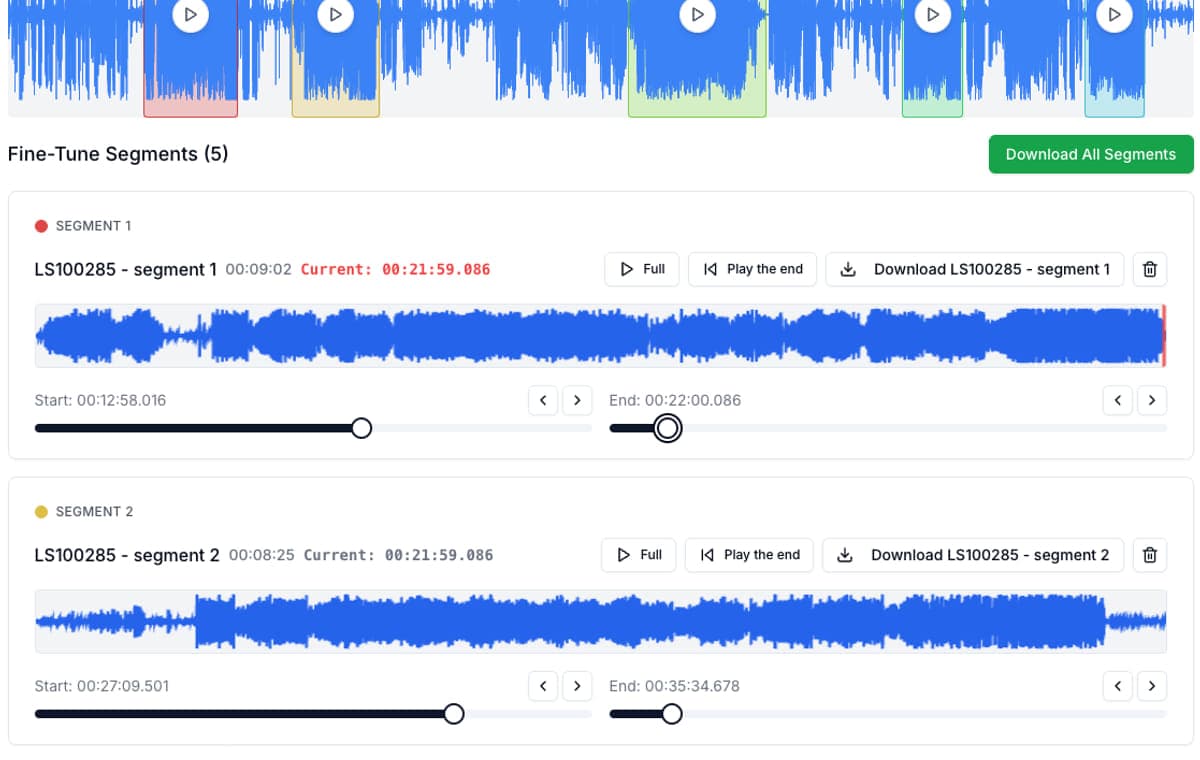
The current Mp3Cut and Clideo product pages center on choosing one interval to keep or remove, then exporting the result. VEED describes a broader timeline editor where you can split and rearrange clips. AudioMultiCut is narrower in a different direction: keep one recording open, mark several separate segments, check every edge, and export the clips as individual files.
There is no universal winner. A one-fragment trimmer is often the quickest choice for a ringtone. A full timeline editor is a better fit for captions, effects, and a finished production. AudioMultiCut is for the middle job that generic cutter comparisons often miss: turning one long recording into several clean audio files.
Video transcript
Every online audio cutter looks the same, for the first clip. Open a file. Pick a start. Pick an end. Export. The difference shows up at the second clip. Let's compare three kinds of tools, by the job you actually need done. First, the one-fragment trimmer. Tools like Mp3Cut and Clideo. Their product pages center on choosing one interval to keep or remove, then exporting it. For a ringtone, or one quick trim from a short file, that's often the fastest choice. Second, the timeline editor. Tools like VEED. A full workspace where you split and rearrange clips, add captions and effects, and build a finished production. If the result is a composed video, that's the right tool. Third, AudioMultiCut. It's narrower, in a different direction. Keep one recording open, mark several separate segments, check every edge, and export the clips as individual files. So which one wins? There's no universal winner. Choose by the result you need. Keep one fragment from a short file? The trimmer is a strong fit. AudioMultiCut works too, but its multi-segment workspace may be more than you need. Export several separate clips from one recording? That's AudioMultiCut's job. With a one-interval tool, you repeat the selection and the export for every output. Add captions, effects, or rearrange a finished piece? Use a timeline editor. Now, back to that second clip. For one result, nearly every cutter is similar. For six results, the question is: do the recording and your previous selections stay available? A one-interval flow sends you back to the start. Find the place again. Select again. Export again. AudioMultiCut keeps every marked segment in the same workspace. You compare names, starts, ends, and order, before you download anything. That matters for rehearsals, lectures, lessons, interviews and sample chains. It's not a special effect. It's avoiding the repeated search for the same place in the same file. Next: privacy, and where the audio actually goes. AudioMultiCut's core editor reads the file locally, in your browser. It decodes, previews, cuts and exports on your machine. Mp3Cut's current privacy policy describes uploaded files, retained for no more than twelve hours. Clideo and VEED start their cutter instructions with uploading a file. That doesn't make those services unsafe. It's a different processing model, and worth checking when a recording is private. For sensitive audio, read the current policy page, not a comparison site's shorthand. And what AudioMultiCut doesn't try to be. It's not a multitrack production suite. No captions, transitions or compositing. And for one tiny trim, a focused one-selection tool may be quicker. What it is: free, through export. No ads, no watermark, no account, no paid length tier. It has real limits. Memory depends on your device, a desktop browser is safer for very long files, and the web editor accepts recordings up to four and a half hours. So here's the short version. One quick trim? Use a simple trimmer. A finished video with captions? Use a timeline editor. Several clean clips from one long recording, without uploading it? That's what AudioMultiCut is for. Based on official product and policy pages, checked in August 2026. Features change, so verify before you choose. AudioMultiCut. The multi-clip audio cutter, free, at audiomulticut.com
Choose by the result you need
| Job | AudioMultiCut | Mp3Cut or Clideo-style trimmer | VEED-style timeline editor |
|---|---|---|---|
| Keep one fragment from a short file | Works, but the multi-segment workspace may be more than this job needs. | Strong fit. The current product pages are centered on selecting one interval and exporting it. | Works, with a larger editing workspace than a simple trim requires. |
| Export several separate clips from one recording | Strong fit. Mark several segments, review each boundary, then export the clips from one open recording. | The one-interval flow becomes repetitive when the same source needs several outputs. | Can split and rearrange clips, but is designed for a broader production workflow. |
| Keep source audio off an editing server | Strong fit. The core editor decodes, previews, cuts, and exports the file in the browser. | The official pages describe uploading or server-side file processing. Check the current privacy policy for retention details. | The official cutter page starts with an upload. Check the current privacy policy for the project you are creating. |
| Add captions, effects, or rearrange a finished production | Not the main job. AudioMultiCut prepares separate audio clips rather than a full media timeline. | Not the main job. These products focus on trimming and format conversion. | Strong fit. A full timeline is useful when the clips need to become a composed video or audio project. |
Official product and policy pages checked August 28, 2026. Features, limits, and pricing can change, so verify them before choosing a workflow.
The second clip is where the workflows separate
For one result, nearly every cutter looks similar. For six results, the important question is whether the recording and your previous selections remain available. A one-interval flow asks you to repeat the selection and export work. AudioMultiCut keeps all marked segments in the same workspace so you can compare names, starts, ends, and order before downloading.
This is most useful for rehearsals, lectures, lessons, interviews, and sample chains. The value is not a special effect. It is avoiding the repeated search for the same place in the same source file.
Privacy depends on the actual processing path
AudioMultiCut's core cutting path reads the source file locally in the browser. Mp3Cut's current privacy policy describes uploaded files and says they are retained for no more than twelve hours. Clideo and VEED begin their cutter instructions with uploading a file. That does not automatically make those services unsafe, but it is a different processing model and worth checking when a recording is private.
Use the current policy page, not a comparison site's shorthand, for sensitive recordings. Also separate the local cutter from optional cloud features: a feature that clearly asks to upload selected audio has a different privacy path from the normal waveform editor.
What AudioMultiCut does not try to replace
AudioMultiCut is not a full multitrack production suite. It does not replace a timeline editor when you need captions, transitions, compositing, or a finished social video. It also is not automatically better for one tiny trim, where a focused one-selection interface may be faster.
The browser editor is free, with no ads, watermark, account, or paid length tier. It still has real technical limits: available memory depends on the device, a desktop browser is safer for very long files, and the web editor rejects recordings longer than 4 hours 30 minutes.
FAQ
Is Mp3Cut good enough for simple trims?
Single-selection cutters handle one-clip jobs fine. The comparison matters when one recording needs several clips, which is the case AudioMultiCut is built for.
Why does local processing matter in this comparison?
It means the core cutting workflow does not send the source recording to an AudioMultiCut editing server. It also avoids waiting for a full file upload before waveform editing. Browser and device memory still set practical limits.
Is AudioMultiCut free the whole way through?
Yes. The web editor is free through export, with no ads, watermark, account, or paid length tier. It has browser and device limits and rejects recordings longer than 4 hours 30 minutes.
When is a full timeline editor the better choice?
Use a product such as VEED when the result needs captions, effects, rearrangement, or a composed video. Use AudioMultiCut when the result is several separate audio clips from one recording.
Sources
Comparison checked against official AudioMultiCut, Mp3Cut, Clideo, and VEED pages on August 28, 2026. The job-fit conclusions are based on the workflows those pages describe, not on a claim that one product is best for every edit.
More recording workflows
Two jobs, two answers
What Is the Best Free Audio Splitter?
It depends on whether you are splitting one recording into clips or producing music. Here is how to choose, and where AudioMultiCut fits.
Compare audio cutters by friction, learning curve, and time to useful result
Audio Cutter Comparison Table: Features, Privacy, Ads, and Speed
A practical comparison of AudioMultiCut, Audacity, VEED, Kapwing, Clideo, and random free cutters based on the things that affect real audio splitting work.
Related pages and tools
Try the multi-clip workflow
Open one recording, mark several useful sections, check their boundaries, and export the clips without uploading the audio to an editing server.