
To split an audio file into two parts, open it in AudioMultiCut, click the point on the waveform where the split should happen, and export. You get two files, cut exactly where you chose, in under a minute. The whole thing runs in your browser: the file is never uploaded to AudioMultiCut servers, and the web editor is free with no ads and no account required.
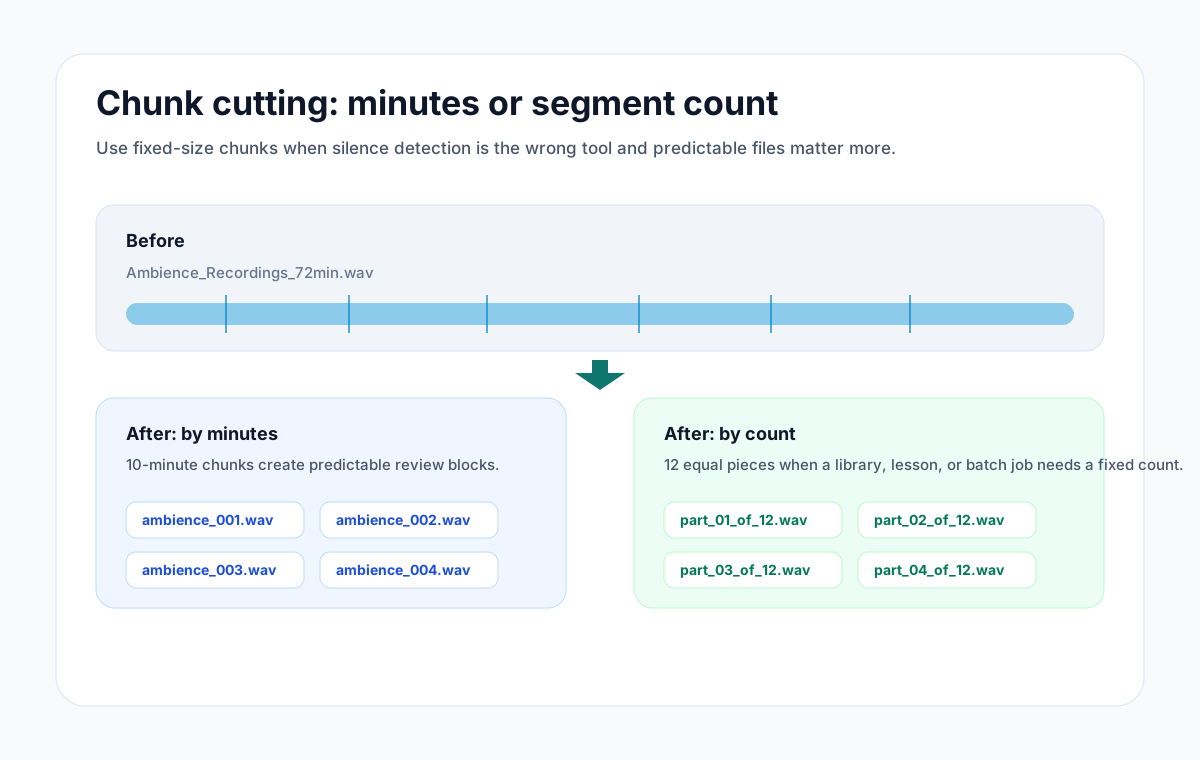
The same editor handles the more structured version of this job: dividing a file into equal parts, either by fixed duration or by exact number of pieces.
Splitting at one exact point
Load the file and find your split point on the waveform. Zoom in if the moment matters, like the boundary between two songs or the start of a new speaker. Preview around the cut with the built-in playback, nudge the boundary until it is right, then export both parts as MP3 or WAV.
Because previews are instant, you can afford to be precise. There is no upload wait and no render queue between attempts.
Splitting into equal parts
Use Split into equal chunks when the output needs to be regular. You can ask for a fixed duration, such as 30-second or 10-minute chunks, or an exact count, such as 8 or 24 equal parts. AudioMultiCut computes the boundaries and creates every segment at once.
Equal chunks are the right tool for transcription services with file-length limits, review workflows where each person takes a slice, and any downstream system that expects a fixed number of files.
When the parts should not be equal
Most real recordings do not break at even intervals, and you do not have to pretend they do. Drag out as many segments as the content actually has, or let Auto-Cut detect the silences between songs, questions, or agenda items and propose the split points for you. Use equal chunks when a downstream system needs them, and split at the natural breaks when a person will listen to the results.
FAQ
How do I split an audio file in half?
Open the file in AudioMultiCut, place the cut at the midpoint shown on the timeline, and export. If it must be mathematically exact, use Split into equal chunks and ask for two parts.
Can I split a file into a specific number of parts, like 8 or 24?
Yes. Split into equal chunks accepts either a chunk duration or an exact part count and generates all segments in one pass.
Is there a file length limit?
Processing happens on your own device, so the practical limit is your browser's memory rather than a server quota. Multi-hour recordings work on typical modern hardware.
More recording workflows
Choose chunk lengths that balance accuracy, speed, and review effort
Best Audio Chunk Sizes for Transcription (Whisper, Google, AWS)
How to choose practical segment lengths before transcription so uploads are easier, retries are smaller, and timestamp review stays manageable.
Get a clean first pass from Auto-Cut, then polish the edges before exporting
How Auto-Cut Works in AudioMultiCut and How to Get Clean Results
A practical guide to the Auto-Cut beta in AudioMultiCut: which preset to pick, how the silence-based detection actually decides where to split, and the final touches to do before you export.
Long recording in, useful clips out
How to Split Long Recordings on iPhone with AudioMultiCut
A step-by-step iPhone workflow for splitting Voice Memos, rehearsals, lectures, meetings, and live recordings into clean MP3 or WAV clips.
Related pages and tools
Split a file now
Drop in the audio, place one cut or ask for equal chunks, preview, and download. Nothing is uploaded anywhere.