
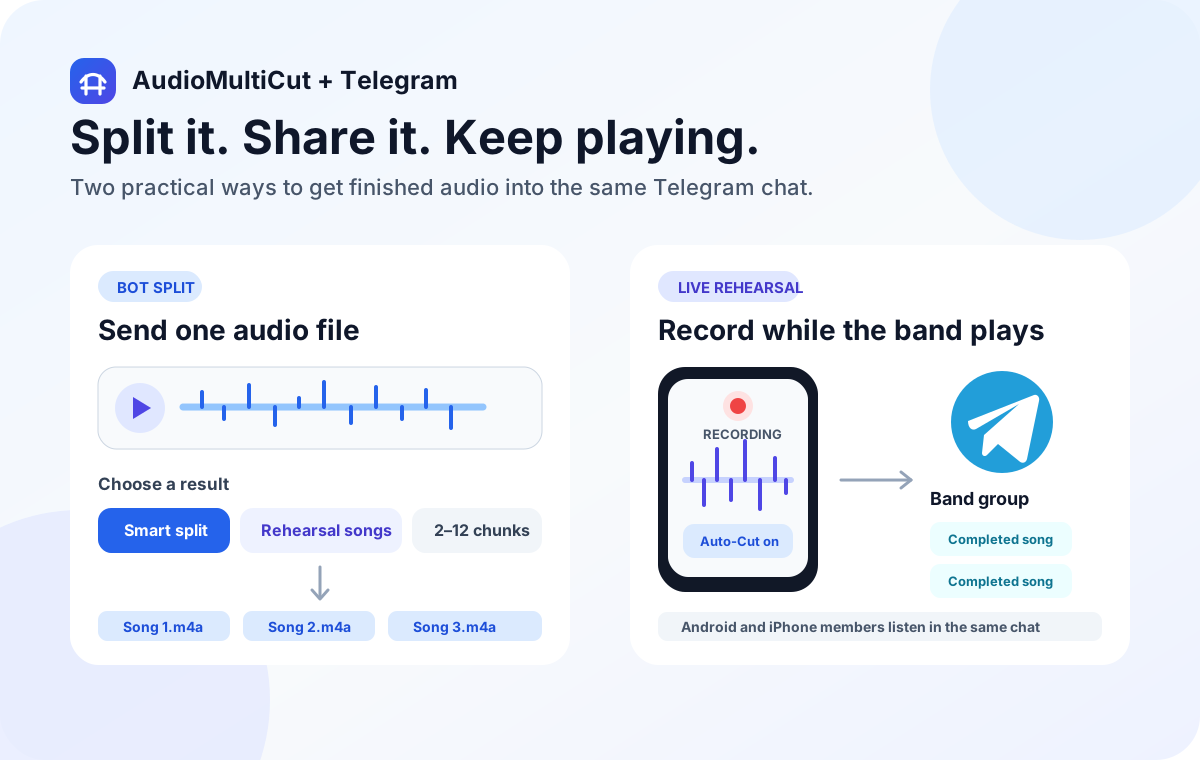
AudioMultiCut for iPhone can send completed rehearsal songs to a connected Telegram group while you keep recording. Open Settings, connect the group under Telegram Rehearsal Sharing, then enable Auto-share completed songs. Bandmates receive playable clips in Telegram and do not need the iPhone app.
This is the bot's second job. Direct bot splitting starts with a file already in Telegram. Automatic rehearsal sharing starts with a growing recording on your iPhone and delivers songs after the app identifies completed sections. You do not need to send the entire rehearsal to the bot first.
Direct splitting and automatic delivery are different
| Question | Direct Telegram split | iPhone rehearsal sharing |
|---|---|---|
| Where does it begin? | An audio message sent or replied to in Telegram | A rehearsal recording in AudioMultiCut on iPhone |
| What starts the work? | A split button or command | A paired group and enabled auto-sharing |
| How are sections found? | Server-side quiet-gap detection or equal chunks | The iPhone app's native Auto-Cut pipeline |
| Who needs AudioMultiCut? | Nobody needs the iPhone app | The recording iPhone; recipients only need Telegram |
Connect the destination before practice
Update AudioMultiCut, then open Settings and find Telegram Rehearsal Sharing. Choose Connect Telegram Group and complete the Telegram connection flow for the group you want. Check the connected group's name when you return to the app; adding the bot manually to some other group does not pair that group with your recording phone.
Enable Auto-share completed songs. Decide whether Upload on Wi-Fi only should stay on. If the rehearsal room has no Wi-Fi and that option is enabled, songs can wait in the queue until the phone joins Wi-Fi. Disconnect Telegram in the same settings when you want to remove the destination.
Record in rehearsal mode and leave room between takes
Start your rehearsal recording with the rehearsal detection workflow. The app checks completed portions of the growing recording, waits for a song's end to sit safely behind the recording position, then prepares that section for delivery. It does not send every moment of silence as a new attachment.
A clear pause between songs gives the detector better evidence than continuous playing or talking over the end of a take. Quiet passages, applause, and room noise can still affect the boundaries. The original recording stays saved locally, so you can reopen it, adjust a cut, and export a corrected clip later.
Why a song can arrive after you stop playing
Delivery includes detection, preparing the audio, uploading, and posting through Telegram. It is not a live audio stream. The final pass after recording ends checks the finished recording for remaining songs, including the last section.
The app keeps a retry queue, but network access and iOS background time affect when it can continue. If a clip has not arrived, first check the connected group, the auto-share switch, Wi-Fi-only settings, and the network. Reopen the app so pending work can continue. Avoid repeatedly reconnecting or manually resending before checking whether a delayed clip already arrived.
File size and privacy still matter
The current automatic-delivery path accepts a completed-song upload up to 19 MiB. This limit is separate from the direct bot's 20 MB source limit. If an automatically prepared song is too large, use the saved recording to make a shorter clip or export a smaller sharing copy manually.
Automatic delivery uploads the prepared song to private temporary storage so Telegram can receive it. The service removes the temporary copy after confirmed delivery; failed cleanup remains eligible for retry. Telegram's copy remains in the group under its own retention settings. Agree with the band about what may be shared before enabling automatic posting.
FAQ
Can Android bandmates listen to automatically shared songs?
Yes. Recipients play or download the audio in Telegram. Only the recording phone needs AudioMultiCut for iPhone.
Does adding the bot to a group enable auto-sharing?
No. Connect the intended group from Telegram Rehearsal Sharing in the iPhone app and enable Auto-share completed songs.
Is delivery guaranteed immediately when the iPhone is locked?
No. The app queues and retries deliveries, but the connection and iOS background execution determine when work can continue.
Sources
Settings, queue policy, upload cap, and server delivery checked against the app and server implementations on October 16, 2026. This is a setup guide, not a claim that a new physical-device delivery test was performed.
More audio workflows
Split and share audio inside Telegram
Split Audio with the AudioMultiCut Telegram Bot
Send audio to the AudioMultiCut Telegram bot, choose Smart split, Rehearsal songs, or equal chunks, and receive the clips in the same chat.
Choose boundaries by quiet gaps or by a fixed count
Telegram Audio Bot: Smart Split or Equal Chunks?
Choose the right AudioMultiCut bot command for voice notes, songs, or equal parts. Includes group replies, examples, limits, and privacy details.
Sharing takes, repairing a recording, and building an arrangement are different jobs
AudioMultiCut vs Audacity vs GarageBand for Rehearsals
Compare splitting rehearsal takes, desktop cleanup, and multitrack arrangement. Choose by the files you need, with official Audacity and Apple sources.
Related pages and tools
Connect your rehearsal group before the next session
Get AudioMultiCut for iPhone, then choose the group and sharing settings in the app.