
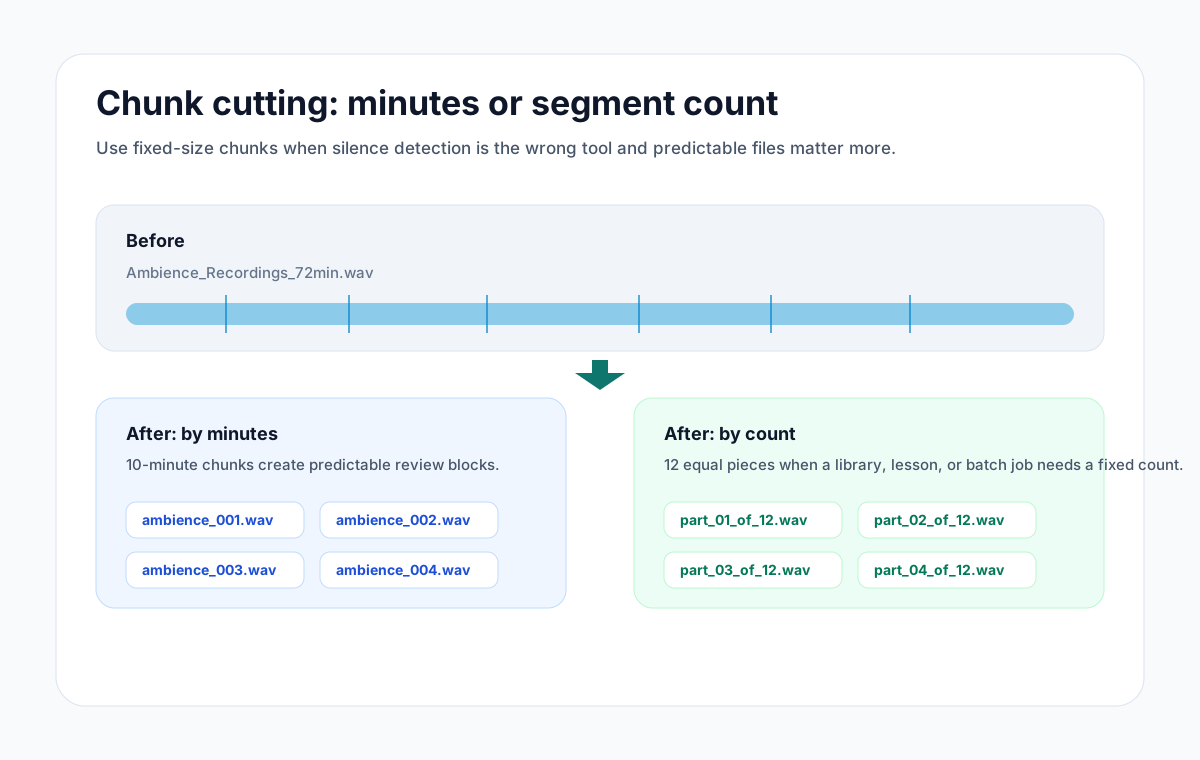
Use Smart split when the pauses should decide where clips begin. Use equal chunks when you need a specific number of parts, even if a cut lands inside a sentence or song. @SplitWithAudioMultiCutBot offers both inside Telegram, plus a Rehearsal songs option that waits for longer gaps.
The choice matters more than the filename. A lecture with no pauses will not become useful topic chapters just because it is an MP3. Equal chunks will still divide it, while a quiet-gap detector may find no useful boundaries. This guide is about choosing the split for an existing file; automatic delivery of new iPhone rehearsal recordings is a separate feature.
Which command should you send?
| Your goal | Reply to the audio with | Boundary rule |
|---|---|---|
| Separate spoken sections at pauses | /split | Shorter quiet gaps |
| Keep complete rehearsal takes together | /split rehearsal | Longer pauses and a longer minimum section |
| Get six parts of similar duration | /chunks 6 | Six equal time ranges, regardless of content |
Commands run against the audio message you reply to. Equal duration does not guarantee equal file size.
Send the file privately, or reply to it in a group
In a private chat, open the bot, send an audio file, and choose a button. Smart split and Rehearsal songs look for quiet gaps. The equal-chunk buttons offer quick counts; /chunks followed by a number accepts 2 through 12.
In a group containing the bot, reply to the specific audio message with /split, /split rehearsal, or /chunks 6. If Telegram needs the bot name to disambiguate the command, use /split@SplitWithAudioMultiCutBot. Sending a command as an unrelated message gives the bot no source file to work on.
A 24-minute recording makes the difference clear
Suppose your recording is exactly 24 minutes long and you request /chunks 6. The intended boundaries are 0:00, 4:00, 8:00, 12:00, 16:00, 20:00, and 24:00. That is a timing example, not a measured export result; compressed audio boundaries can have small encoding differences.
If the same recording contains four songs with uneven lengths, use Rehearsal songs instead. Six fixed chunks would give you six files but could cut a chorus in half. Silence detection aims for the gaps, yet quiet passages inside a song can still mislead it. Preview the returned clips before forwarding them.
Know the quick splitter's limits
Direct bot splitting accepts a source up to 20 MB and 30 minutes, returns at most 12 clips, and allows five split jobs per chat per hour. These are AudioMultiCut bot limits, not Telegram's general attachment limits. A file that sends successfully in Telegram can still be too large for the bot.
The bot returns audio files. It does not supply a visual boundary editor or recognize lecture topics from their meaning. If it finds too few clear gaps, open the browser or iPhone editor and place the cuts yourself. The browser's normal editing and export workflow processes the source locally.
Choose equal chunks for a handoff, then check the result
Fixed counts suit review batches or a handoff that asks for several shorter files. They are a poor substitute for listening when a recipient needs complete ideas. For a strict upload-size limit, inspect the actual exported size; equal time ranges can produce different byte counts with variable bitrate audio.
Sending audio to the bot makes it available to Telegram and AudioMultiCut's temporary server processing. Working files are removed after the job, while Telegram retains delivered messages according to its policies and chat settings. For private material that must stay on your device, make the cuts locally and decide separately whether to share them.
FAQ
Can I split a Telegram voice message into five parts?
Yes. Add the bot to the chat and reply to the source message with /chunks 5, provided the source fits the bot's 20 MB and 30-minute limits.
Does Smart split understand the topics in my recording?
No. The direct bot uses quiet-gap detection. Use a transcript or listen in the editor when you need boundaries based on words or topics.
Will /chunks 6 make six equally sized files?
It makes six equal-duration ranges. Encoded file sizes can differ, so check the finished files when a destination has a byte limit.
Sources
Commands, limits, and boundary behavior checked against the production bot implementation on October 16, 2026. The 24-minute example is arithmetic, not a performance test.
More recording workflows
Split and share audio inside Telegram
Split Audio with the AudioMultiCut Telegram Bot
Send audio to the AudioMultiCut Telegram bot, choose Smart split, Rehearsal songs, or equal chunks, and receive the clips in the same chat.
Record on one iPhone and deliver completed songs to the band chat
Automatically Share iPhone Rehearsal Songs to Telegram
Connect AudioMultiCut on iPhone to a Telegram group, enable completed-song sharing, and understand Wi-Fi queues, delays, and privacy.
The simplest split jobs should be the fastest
How to Split an Audio File Into Two Parts, or Any Number of Equal Parts
Split audio in half, into thirds, or into exact timed chunks in your browser. No server upload, ads, account, or watermark.
Related pages and tools
Choose a split for your next audio message
Send a file to the bot and use the option that fits what the listener needs.