
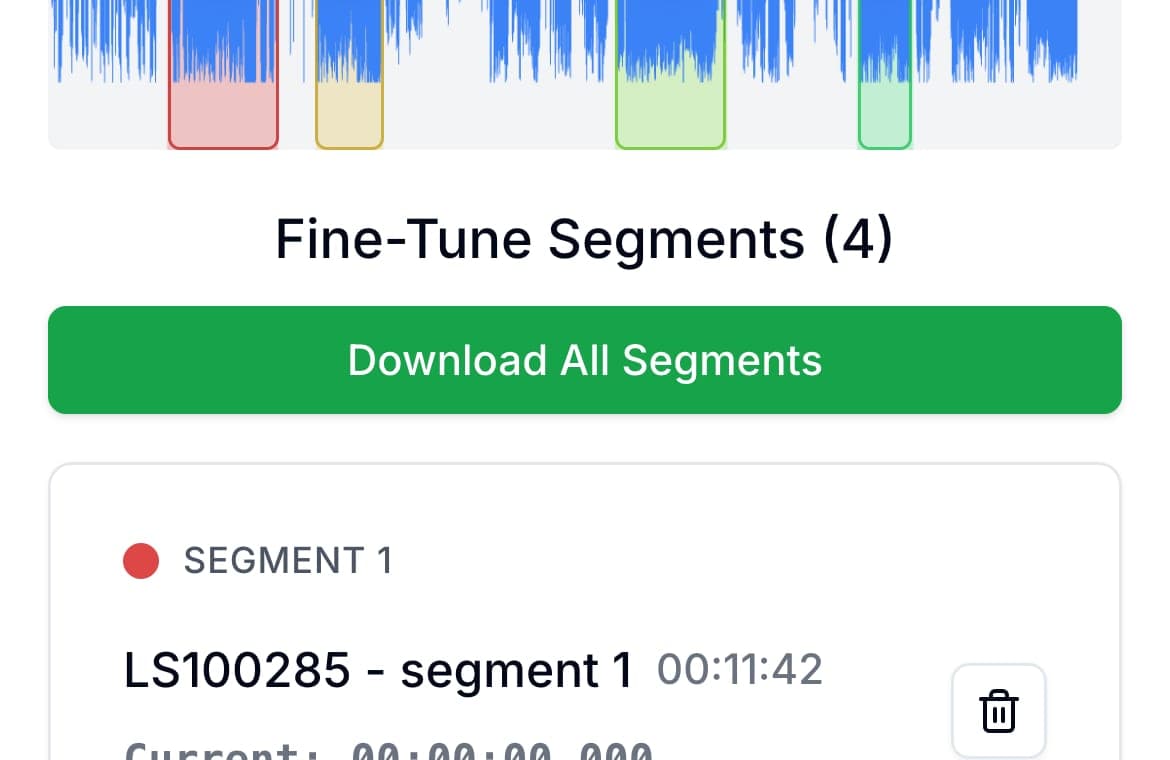
The reliable way to send a long voice memo is to split it into parts on your phone and share the parts together. On iPhone, share the memo from Voice Memos to the AudioMultiCut app, mark the sections, and export them as separate files; the share sheet then sends all of them to Messages, WhatsApp, Telegram, email, or AirDrop in one go.
Length causes two problems when sending audio. Apps and mail servers reject files past their size caps, and those caps vary by app and change over time. The second problem has no error message: a 25-minute recording arrives as one blob, the recipient sees no way into it, and it goes unplayed. Three files named for what they contain get listened to.
On iPhone
Open the recording in Voice Memos, tap Share, and choose AudioMultiCut. Mark a segment for each part: the update about the house, the question that needs an answer, the part meant for one specific person. Preview the boundaries, export, and share the files together through the share sheet. The app is free for recordings up to 10 minutes; longer ones need the Unlimited subscription.
Naming helps the receiver more than anything else. Three files called Part 1 of 3 get played in order. Files named for their contents let the person jump to what concerns them.
On Android or a computer
Open audiomulticut.com in Chrome or another browser, load the recording, and do the same job there: mark the parts, preview, export. The web editor is free and processes the audio locally, so the memo is not uploaded to a server on its way to being split. Then attach the exported files to the chat or email as usual.
On Android the steps are: save or share the recording from your recorder app to Files, open audiomulticut.com, tap to choose the file, mark each part on the waveform, and export. The parts land in your Downloads folder, and from there you can attach several at once in WhatsApp, Telegram, Gmail, or Messages. Where your recorder keeps its files depends on the phone, so the recorder's Share button is usually the quickest way to get the file out.
Choosing where to split
Split by topic rather than by minute count when a person will listen. A natural pause or change of subject makes a clean seam, and the waveform makes those pauses visible as gaps. Equal-length parts are the right choice only when a service demands them, such as a transcription tool with a length cap.
FAQ
How do I send a large voice recording on Android?
Split it into parts first. Open audiomulticut.com in your phone browser, load the recording from Files, mark the parts, and export them. Each part is a smaller file, and you can attach all of them to one message or email.
Why will my voice memo not send?
It usually exceeds the app's or mail server's attachment limit. Splitting it into parts brings each file under the cap and, as a bonus, makes the message easier to actually listen to.
Can I send several audio files at once on iPhone?
Yes. The AudioMultiCut app exports multiple clips and hands them to the share sheet together, so Messages, WhatsApp, AirDrop, and Files receive them in one action.
Will the parts lose quality?
Export at the same or a similar bitrate to the original and the difference will not be audible for voice recordings. Use WAV if the audio is going into further editing.
More recording workflows
From voice message to shareable clips
How to Cut a WhatsApp Voice Message
Save the voice note, cut or trim the part you need in your browser or the iPhone app, and send it back to the chat as an MP3. Free, and nothing is uploaded.
The format your phone records should be the format your cutter accepts
How to Split M4A Files and Voice Memos Into Separate Clips
M4A is what iPhones record, and most cutters handle it badly. Here is how to split M4A recordings in the browser or right on your phone, free and private.
Long recording in, useful clips out
How to Split Long Recordings on iPhone with AudioMultiCut
A step-by-step iPhone workflow for splitting Voice Memos, rehearsals, lectures, meetings, and live recordings into clean MP3 or WAV clips.
Related pages and tools
Split a voice memo
Upload a real recording and see how fast the split-and-preview workflow feels on your own material.