
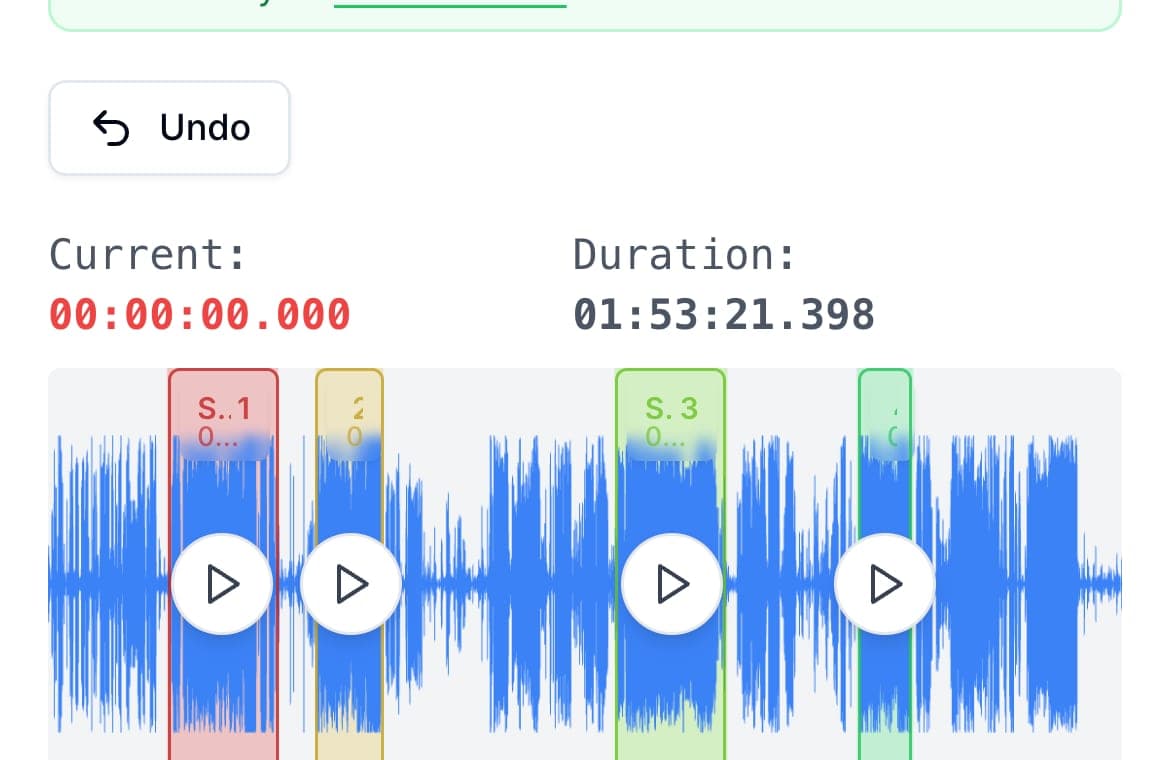
Messenger limits how long a voice clip you can record in the chat, and long audio files sent as attachments run into a size cap. Both walls fall the same way: record as long as you like in your phone's recorder app, split the recording into parts with AudioMultiCut, and send the parts into the Messenger chat together.
Recording outside Messenger has a second benefit: you keep the original. A voice clip recorded inside a chat app lives inside that chat; a recording made in Voice Memos or a recorder app is yours to cut, keep, and reuse.
Record first, send second
Use Voice Memos on iPhone or any recorder on Android and say everything without watching a timer. Then split: on iPhone, share the recording to the AudioMultiCut app, mark the parts, and batch-export; on Android or desktop, open audiomulticut.com in the browser and do the same. Send the exported MP3s into the Messenger conversation as attachments, in one batch so they stay together and in order.
If someone sent you the long message
The same tools work in reverse. Save the audio from the Messenger conversation to your phone or computer, open it in AudioMultiCut, and cut out the part you need, the address, the instructions, the one minute that matters, instead of re-listening to twenty. Forward just that clip.
Keeping the thread listenable
Name each part for its content before sending, since a stack of files called audio_export_3 helps nobody. Two or three well-named parts almost always beat six short ones; split at topic changes rather than at fixed lengths, and the person on the other end can answer the part that concerns them without transcribing your whole message back to you.
FAQ
How long can a Messenger voice message be?
In-app recording has a timer and attachments have a size cap; both have changed over the years, and Messenger surfaces the current limit when you hit it. Recording outside the app and splitting removes the question.
Can the other person play MP3 parts inside Messenger?
Yes, audio attachments play inline in the conversation on phone and desktop.
Can I do the whole thing on my iPhone?
Yes. Voice Memos records, the AudioMultiCut app splits and batch-exports, and the share sheet delivers the parts to Messenger. The app is free for recordings up to 10 minutes.
More recording workflows
Generous file limits do not make long audio listenable
How to Send a Long Voice Message on Telegram
Telegram handles big files better than most chat apps, but long voice messages still arrive as one unplayable block. Splitting them on your phone fixes that.
The upload error has a two-minute fix
How to Send Long Audio on Discord
Discord's upload cap cuts off long recordings fast. Split the audio into parts under the limit and post them in order instead.
Editing should be as private as the messenger
How to Send a Long Voice Message on Signal
Signal keeps messages private but gives you no way to edit a long voice note. Cut it locally, so the audio stays as private as the chat, then send the parts.
Sent as files, the parts stay in the thread
How to Send Long Audio in iMessage
iMessage audio messages were built for seconds, not lectures. Send long recordings as split files instead, straight from your iPhone.
From voice message to shareable clips
How to Cut a WhatsApp Voice Message
Save the voice note, cut or trim the part you need in your browser or the iPhone app, and send it back to the chat as an MP3. Free, and nothing is uploaded.
The recording is on the phone, so the editing should be too
How to Split a Voice Memo Without a Computer
The whole job, from Voice Memos to shared clips, on the phone itself. For iPhone with the AudioMultiCut app, and for any phone with the browser editor.
Related pages and tools
Split audio for Messenger
Upload a real recording and see how fast the split-and-preview workflow feels on your own material.