
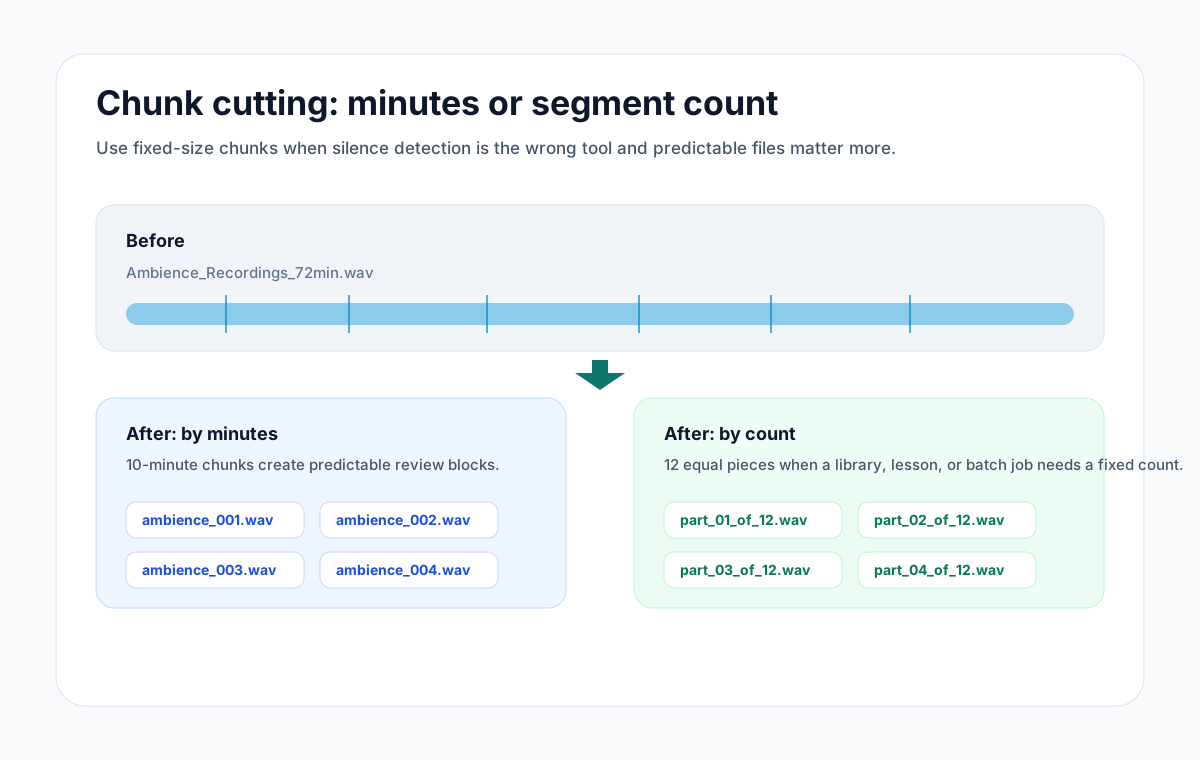
Discord rejects uploads past its size cap, and long audio hits that cap quickly, especially as WAV. The fix that does not involve a subscription: split the recording into parts that fit, and post them in order. AudioMultiCut does the split in your browser for free, and its equal-chunks mode is built for exactly this kind of size-cap problem.
This comes up constantly around Discord's own use cases: session recordings from a tabletop campaign, band practice shared to the server, podcast raw takes for an editor, voice channel recordings from a community event.
Two ways to split for a size cap
If people will listen to the parts, split at the natural breaks: open the file, let Auto-Cut find the silences between songs or scenes, review the boundaries, and export. Each part lands well under the cap and starts somewhere sensible.
If the audio is going to an editor or a bot rather than a listener, use Split into equal chunks: pick a duration or a number of parts and export them all at once. For getting under a size cap, chunks of 10 to 15 minutes as MP3 are a practical starting point; make them shorter if an upload still bounces.
Format matters more than length
File size is length times bitrate, so format choice moves the cap further than trimming does. A WAV of a one-hour session is enormous; the same hour as MP3 is a fraction of the size. Export MP3 from AudioMultiCut for anything headed to Discord unless someone downstream specifically needs WAV, in which case send those chunks through a file host instead.
Posting the parts
Name the exports with their order and content, Part 1 - Ambush at the bridge, and upload them to the channel in one message where possible. Discord keeps attachments in one message together, which stops other conversation from splitting your recording apart. Pinning the message helps a server find the session recording later.
FAQ
What is Discord's audio file size limit?
It depends on the server's boost level and whether you have Nitro, and the numbers change over time. Discord shows the current cap when an upload fails. Splitting to comfortably under it works on any tier.
What is the best format for Discord audio?
MP3, for size. Discord plays it inline with a scrubber. Keep WAV for editors and file hosts.
Can I do this on my phone?
Yes. The browser editor works on mobile, and on iPhone the AudioMultiCut app splits and batch-exports, then shares to Discord through the share sheet. The app is free up to 10 minutes per recording.
More recording workflows
Generous file limits do not make long audio listenable
How to Send a Long Voice Message on Telegram
Telegram handles big files better than most chat apps, but long voice messages still arrive as one unplayable block. Splitting them on your phone fixes that.
Editing should be as private as the messenger
How to Send a Long Voice Message on Signal
Signal keeps messages private but gives you no way to edit a long voice note. Cut it locally, so the audio stays as private as the chat, then send the parts.
The whole message, a few files at a time
How to Send a Long Voice Message on Messenger
Messenger cuts voice recordings short and rejects big audio files. Split the recording on your phone and send the parts so the whole message gets through.
Sent as files, the parts stay in the thread
How to Send Long Audio in iMessage
iMessage audio messages were built for seconds, not lectures. Send long recordings as split files instead, straight from your iPhone.
Built for long files
How to Split a 2-Hour Recording Into Clips
Long recordings are where most audio tools give up. How to turn a two-hour rehearsal, lecture, or interview into usable clips in one browser session.
Choose chunk lengths that balance accuracy, speed, and review effort
Best Audio Chunk Sizes for Transcription (Whisper, Google, AWS)
How to choose practical segment lengths before transcription so uploads are easier, retries are smaller, and timestamp review stays manageable.
Related pages and tools
Split audio for Discord
Upload a real recording and see how fast the split-and-preview workflow feels on your own material.