
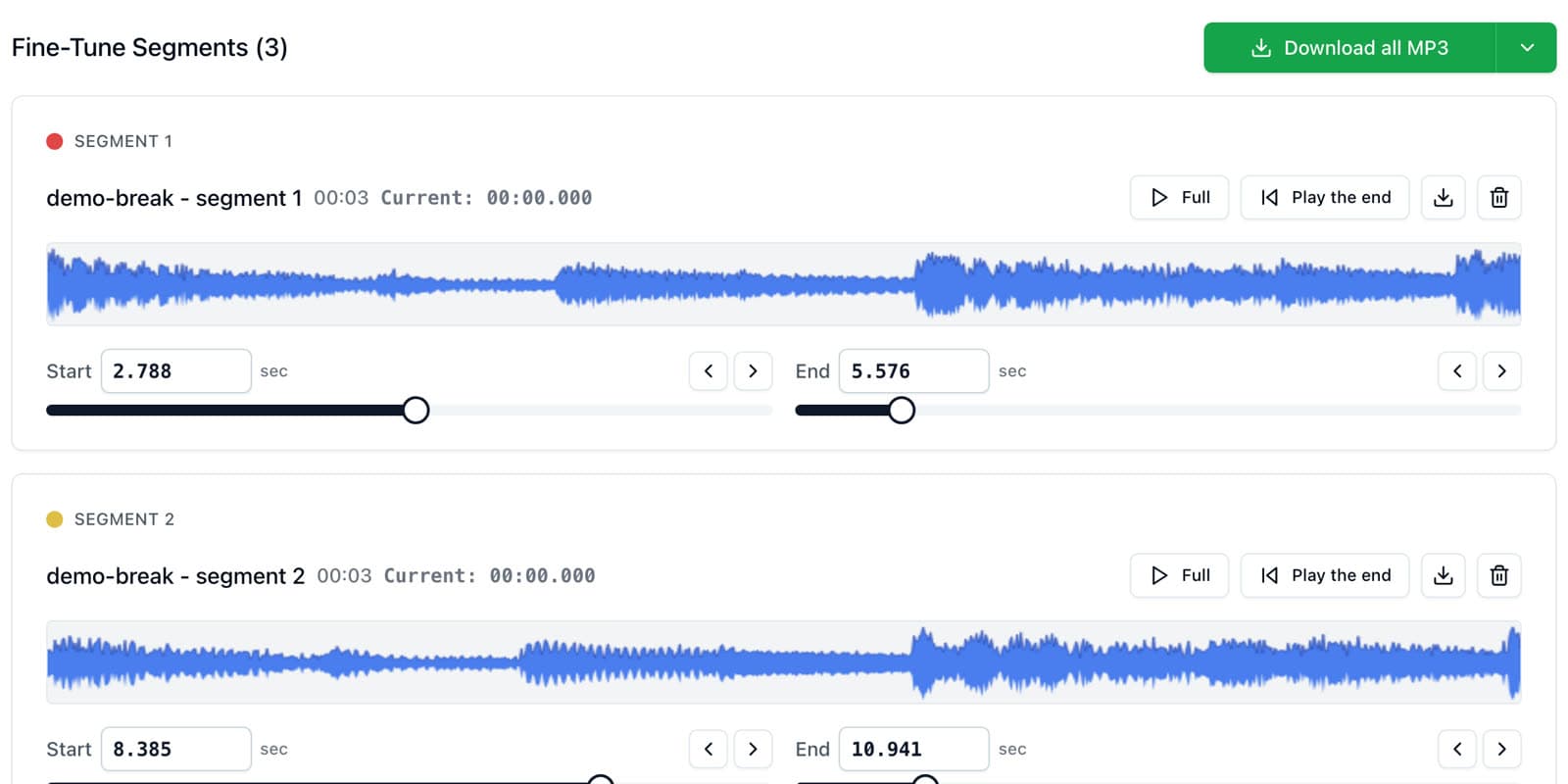
Export your chops from AudioMultiCut as WAV, unzip the download, and drag the files into your sampler's software or your DAW. On an SP-404 MKII, the free SP-404MKII app (the editor) lets you select all the chops and drop them onto a bank in one drag. On an MPC, Ableton Live, FL Studio, or Logic Pro, the same WAV files load straight onto pads or tracks.
In the Verysickbeats video, the chops land on banks C and D of an SP-404 MKII: once from the browser and once from the AudioMultiCut iPhone app over AirDrop.
Export settings that every sampler accepts
Choose WAV in the export settings. WAV keeps full quality and loads on every sampler and DAW. If you made more than a few chops, download them all at once. They arrive as one ZIP, numbered in the order you created them, so pad order stays predictable.
Roland SP-404 MKII
Connect the SP-404 MKII over USB and open Roland's SP-404MKII app on your computer. Pick a project and a bank, select all your chop files in Finder or Explorer, and drag them onto the bank. Each chop fills the next pad. Save, and the chops are on the unit.
If you skip the app, you can also copy the WAVs to the SD card's import folder and import them from the sampler itself, which takes longer per chop.
Akai MPC
In MPC software, drag the WAV chops into the project, then assign them to pads in a drum program. On a standalone MPC, copy the chop folder to an SD card or USB drive first, then load the files from the MPC's browser and assign them to pads.
Ableton Live, FL Studio, and Logic Pro
Ableton Live: select all the chops and drop them onto an empty Drum Rack. Each file gets its own pad. Use Simpler on a single chop if you want to play it chromatically.
FL Studio: drag the chops into FPC pads or into separate channels in the Channel Rack, or load one into Slicex and play it across the keyboard.
Logic Pro: drag the chops onto a Drum Machine Designer kit or into Quick Sampler.
Chopping on iPhone and sending the chops to your computer
The AudioMultiCut iPhone app does the same job on the phone. Import the sample from Files, tap Smart to auto-chop it, edit any chop that needs it, and tap Share. The app prepares the files and you can AirDrop them straight to a Mac, where they land in Downloads ready to drag into your sampler.
The iPhone app is free for recordings up to 10 minutes; AudioMultiCut Unlimited unlocks longer recordings. The Android app is in closed beta, so on Android use the web editor in Chrome.
FAQ
What file format does the SP-404 MKII need?
WAV works directly. Export your chops from AudioMultiCut as WAV and drag them into the SP-404MKII app or import them from the SD card.
Can I load all my chops onto pads at once?
Yes, in the SP-404MKII app and in Ableton's Drum Rack. Both take a multi-file drag and put one chop on each pad in order.
How do I get chops from my iPhone to my computer?
In the AudioMultiCut iPhone app, tap Share after chopping and pick AirDrop to send the chops to a Mac, or save them to Files and sync through iCloud Drive.
More sample prep guides
Drag, fine-tune, download, drop into your sampler
How to Chop Samples Online for Free (SP-404, MPC, Any DAW)
Chop a sample into WAV or MP3 chops in your browser: drop in the file, drag chops on the waveform, fine-tune start and end points, and download every chop as a ZIP for your SP-404, MPC, or DAW.
Let Auto-Cut find the chops, then audition and keep the good ones
How to Auto-Chop a Long Sample Into Chops in Seconds
Auto-chop an 8, 10, or 20-minute sample into dozens of chops with AudioMultiCut's Smart and Samples presets, then keep the chops you like and delete the rest.
A faster prep workflow for musicians building playable sample instruments
Preparing Sample-Library Audio for Kontakt, HALion, Falcon, Decent Sampler, and More
A practical workflow for cutting long sample-chain recordings into clean files before mapping them in Kontakt, HALion, Falcon, Decent Sampler, Logic Sampler, Ableton Sampler, SFZ tools, MPC keygroups, and other sampler ecosystems.
Related pages and tools
Make the chops first
Chop your sample in the browser, download the WAVs, and follow the steps for your sampler.